Monday, January 31, 2011
New Android Exploit Discovered To Steal Data
A researcher at North Carolina State University has discovered yet another Android Browser exploit that affects the new Android 2.3 (Gingerbread) and previous versions. Slashdot recently covered a previous browser exploit that affected all versions of the Android Browser, but was patched in 2.3. Xuxian Jiang writes 'our finding here is that the patch contained in Android 2.3 is not an ultimate fix and can still be bypassed. We have a proof-of-concept exploit with a stock Nexus S phone and are able to successfully exploit the vulnerability to steal potentially personal information from the phone.' The exploit is capable of reading and writing files from an Android's sdcard or system partition as well as uploading user data over the internet
Read more: Slashdot
Read more: Slashdot
PS3 firmware 3.56 hacked in less than a day, Sony's lawyers look confused (update)
Sony's taken some strong steps against PS3 cracking in the past week -- not only has it taken to the courts and won a temporary restraining order against Geohot and fail0verflow for cracking the console, but it also released firmware 3.56, which locked things down again. Unfortunately, that restraining order doesn't mean anyone else has to stop a-crackin', and wouldn't you know it: 3.56 was cracked open in less than a day by KaKaRoToKS, who was behind one of the first 3.55 custom firmwares. Now that the 3.56 signing keys are out, we'd guess updated custom firmware is soon to come -- and we'd bet Sony's lawsuit will just inspire an entirely new wave of people to jailbreak once those hit the scene. Way to put that genie back in the bottle, Sony.
Update: We're hearing that new custom firmware isn't on the table quite yet, because Sony changed most of the locks, and is reportedly actually storing the all-important ECDSA private key with random-number cryptography this time around.
Read more: Engadget
Update: We're hearing that new custom firmware isn't on the table quite yet, because Sony changed most of the locks, and is reportedly actually storing the all-important ECDSA private key with random-number cryptography this time around.
Read more: Engadget
Citadel

- calendaring/scheduling
- address books
- bulletin boards
- mailing list server
- instant messaging
- wiki
- multiple domain support
- a powerful web interface
Read more: Citadel
Kaspersky Source Code Leaked to BitTorrent
A Russian website CNews claims that the popular Kaspersky Antivirus source code has been leaked to web and available via torrents and file sharing sites that was stolen by a former employee of Kaspersky Lab who sentenced to three years jail for intellectual property theft.
According to CNews, the complete source weighing 182MB in a RAR archive uploaded to a free file hosting site by Unknown. The archive contains a collection of files with code written in C++ tool in Visual C, and assembly files and has already been download 2071 times.
Kaspersky Lab confirms that the incident poses no threat to safety of users of products, solutions and services company, explaining that the stolen code refers to an outdated product line. The leaked code was from a beta version of Kaspersky Internet Security 8 and Kaspersky is currently offering version 11 of their Internet Security suite, so I think Kaspersky anti-virus users should not worry about the security but this incident totally ruins Kaspersky's reputation.
Read more: WinMarix
According to CNews, the complete source weighing 182MB in a RAR archive uploaded to a free file hosting site by Unknown. The archive contains a collection of files with code written in C++ tool in Visual C, and assembly files and has already been download 2071 times.
Kaspersky Lab confirms that the incident poses no threat to safety of users of products, solutions and services company, explaining that the stolen code refers to an outdated product line. The leaked code was from a beta version of Kaspersky Internet Security 8 and Kaspersky is currently offering version 11 of their Internet Security suite, so I think Kaspersky anti-virus users should not worry about the security but this incident totally ruins Kaspersky's reputation.
Read more: WinMarix
Open-source Challenge To Exchange Gains Steam

Read more: Slashdot
Read more: Openchange
עידן חדש לסטארטאפים בישראל – הכירו את Venturegeeks
בשנתיים האחרונות אנחנו עובדים מאוד קשה בניוזגיק כדי לספק לקהילה הטכנולוגית את כל החידושים, העדכונים וכל מה שקורה בתחום הטכנולוגיה בארץ ובעולם, מזווית ראייה קצת שונה וטכנולוגית יותר. בשנתיים הללו, במהלך הסיקור של סצינת הסטארטאפים הישראלית נפגשנו עם מאות סטארטאפים שונים, שנמצאים כל אחד בשלב שונה ולכל אחד ניסינו לעזור היכן שיכלנו.
השלב הטבעי הבא בחיבור שלנו לקהילת הסטארטאפים והיזמים הישראלים היה הקמת מקום בו נוכל לגשר על הפער שקיים היום בידע של יזמים. לא מעט יזמים נמצאים בינינו, עם רעיון, אולי עם עוד חבר צוות, אבל בלי ידע על הדרך שעליהם לעבור מהשלב בו יש להם רעיון מצוין לשלב בו המימוש שלו אפשרי ובעקבותיו גם אפשר להקים חברה מצליחה. חוסר הנסיון והטעויות שבאות איתו הופכים את הדרך להצלחה לקשה יותר.
פער נוסף שמצאנו שקשה מאוד לגשר עליו הוא שלא לכל אחד מאיתנו יש חברים, משפחה או פראיירים (בעיית ה-FFF) שיאמינו בנו וישקיעו בנו כסף וזמן כדי להצליח.
כדי לגשר על הפערים הללו, חברנו למשקיע אמריקני ולקבוצה גדולה של מנטורים מהארץ, מאירופה ומארצות הברית, ובנינו במהלך החודשים האחרונים אקו סיסטם שיוכל לתמוך ביזמים הישראלים אשר נותרים בהרבה מקרים ללא מענה מתאים בשלב מוקדם וקריטי כל כך להמשך. המענה המדובר, מגיע בדמות תוכנית הסטארטאפים החדשה שלנו, Venturegeeks.
Venturegeeks – Turning every adventure into a venture
התוכנית כוללת את כל מה שצריך כדי לעזור ליזמים להמשיך מהשלב הראשוני, בין אם מדובר ברעיון, תוכנית עסקית או אפילו בטא עובדת ועד לשלב שבו הם יכולים לגייס השקעת Seed ראשונה. רוב היזמים בארץ עדיין לא מכירים את הפער הזה, אך כל מי שניסה פעם או פעמיים לגייס כסף בשלבים הראשונים של המיזם שלו כבר מכיר את התגובות של רוב המשקיעים כשניגשים אליהם עם רעיון או מצגת בלבד.
המטרה שלנו ב-Venturegeeks, היא לאפשר לאותם היזמים להתרכז ברעיון ובמוצר ולספק להם סביבה יזמית תומכת. כדי לעשות את זה, אנחנו נשקיע ביזמים מימון ראשוני בגובה של עד 20,000 דולר על-מנת לספק את הצרכים שלהם בשלב המוקדם שבו הם נמצאים. מימון הראשוני, יחד עם הייעוץ השירותים המשלימים שיסופקו לחברות בתוכנית על-ידי השותפים שלנו, יאפשרו ליזמים להתמקד במה שהם יודעים לעשות הכי טוב – בפיתוח הרעיון שלהם.
Read more: newsGeek Guide to building .NET projects using Hudson
In this guide I'm going to show how to set up a C# project on the Continuous integration server Hudson. I've been using Hudson on .NET projects since september and it works really well. I'm going to use Media Portal as the example project.
The below goals will be solved in this guide:
Initial downloads
The following files are needed besides Java (at least 1.5). Get the latest version of all files and notice that the Hudson file has the extension .war and plugins .hpi. This guide assumes that MSBuild, NUnit and FxCop are already installed and working.
Follow the following steps to configure the tools that Hudson will use in building MediaPortal.
Go to the System configuration at http://localhost:8080/configure.
MSBuild Builder - Set the path to the MSBuild tool to C:\Windows\Microsoft.NET\Framework\v2.0.50727\msbuild.exe
MediaPortal job configuration
Click the "New job" link at the home page.
Enter the name "MediaPortal", check the "Build a free-style software project" and press OK.

Read more: Redsolo's blog site
The below goals will be solved in this guide:
- Get the source code from the Subversion repository
- Link change logs to the repository browser using ViewVC
- Build the project using MBuild
- Run the tests using NUnit and display the results together with a trend graph
- Publish artifacts from the build (nightly builds)
- Run FxCop on an assembly and display warnings (linked with source code) and a trend graph
- Search the source code for TODO, FIXME comments and display the open tasks with links to the source code
Initial downloads
The following files are needed besides Java (at least 1.5). Get the latest version of all files and notice that the Hudson file has the extension .war and plugins .hpi. This guide assumes that MSBuild, NUnit and FxCop are already installed and working.
Hudson server application (download)
MSBuild plugin (download)
NUnit plugin (download)
Violations plugin (FxCop support among other such as Simian, CPD, PMD and PyLint) (download)
Open Tasks plugin (download)
Installation steps
MSBuild plugin (download)
NUnit plugin (download)
Violations plugin (FxCop support among other such as Simian, CPD, PMD and PyLint) (download)
Open Tasks plugin (download)
Installation steps
I'm going to install Hudson into c:\Program Files\Hudson.
Hudson system configuration
- Copy the hudson.war file to c:\Program Files\Hudson
- Start Hudson through "java -DHUDSON_HOME=data -jar hudson.war". Verify that you can access Hudson through http://localhost:8080
- Copy the plugins to c:\Program Files\Hudson\data\plugins
- Stop Hudson by pressing Ctrl+C in the command prompt where you started Hudson.
- Start Hudson again and you should be set to go.
Hudson system configuration
Follow the following steps to configure the tools that Hudson will use in building MediaPortal.
Go to the System configuration at http://localhost:8080/configure.
MSBuild Builder - Set the path to the MSBuild tool to C:\Windows\Microsoft.NET\Framework\v2.0.50727\msbuild.exe
MediaPortal job configuration
Click the "New job" link at the home page.
Enter the name "MediaPortal", check the "Build a free-style software project" and press OK.
Read more: Redsolo's blog site
Tutorials for Making Your Website Mobile Friendly
Mobiles have become a necessity in our lives and are being used worldwide. Today’s phone set has the capability to browse the web, listen to songs, watch videos or even download any required information. This is the main reason why many companies have considered rebuilding their sites to make them mobile compatible.
With the introduction of iPhone there has been a massive demand of mobile web services. Today we present to you 25 tutorials and articles to help you understand and develop sites for achieving mobile presence on websites:
How to Create a Mobile Site
This article shows you the way of creating a mobile site that is good for old cellphones and stunning for iPhones:

How to Make Your Portfolio iPhone-Compatible
A tutorial focusing mainly on making portfoilio sites mobile friendly so that visitors can enjoy artwork even on their cells:

Read more: noupe
With the introduction of iPhone there has been a massive demand of mobile web services. Today we present to you 25 tutorials and articles to help you understand and develop sites for achieving mobile presence on websites:
How to Create a Mobile Site
This article shows you the way of creating a mobile site that is good for old cellphones and stunning for iPhones:
How to Make Your Portfolio iPhone-Compatible
A tutorial focusing mainly on making portfoilio sites mobile friendly so that visitors can enjoy artwork even on their cells:
Read more: noupe
Five Must Antivirus Mobile Security Software for Smartphones
Mobile phones have become so important in our lives that sometimes it’s really hard to realize the role a mobile phone plays in our everyday activities. Mobiles have become so popular because of their incredible features like they are mobile, and handy. Moreover the convenience of getting connected with everyone anytime especially in case of any emergency makes this device very special in today’s life. But unfortunately this technology also couldn’t remain away from getting effected from viruses. Currently, mobile phone malwares are very few in existence than computer malware and they are less complicated and poses comparatively lower risk than computer malware. But there are more chances that mobile phones viruses will become more common in the future and it is therefore prudent for mobile phone users to take some safety measures.
Here are 5 best antivirus software’s that you can take to reduce the risk of your phone getting infected.
1)F-Secure Mobile Security
F-Secure is designed exclusively with business applications in mind. It is easy to use and delivers protection without need for unnecessary user involvement. It stops malicious, unwanted, harmful, or possibly dangerous packets. It is considered to be a complete security software package that consists of anti –spyware, anti-virus, and a remote control anti-theft feature for the safety of the mobiles. It protects your information by keeping the virus away from interfering with your device.
2)AVG Antivirus
AVG Mobile Security is specifically available for Android. It comes with the wonderful anti-virus and SMS anti-spam features that give protection to your mobile against all unwanted messages and advertising. Comprehensive system settings, planning and scanning exceptions which are considered as Advanced functions are also included in this antivirus. The interesting thing of this antivirus is that the whole device gets scanned and virus is removed in just one click.
3)Kaspersky Mobile Security
It is a complete protection package for the Smartphone. And it is considered as one of the most popular antivirus software today which is used by millions of people worldwide. It keeps your mobile life truly private like no one will be able to see your contacts and communications history if he has stolen your phone. In addition to that GPS will also help you out in searching your stolen phone. It will also ensure you that you will get SMSs and calls only from those contacts you want to. So basically you can enjoy your private and safe mobile life.
Read more: TheSoftHelp
Here are 5 best antivirus software’s that you can take to reduce the risk of your phone getting infected.
1)F-Secure Mobile Security
F-Secure is designed exclusively with business applications in mind. It is easy to use and delivers protection without need for unnecessary user involvement. It stops malicious, unwanted, harmful, or possibly dangerous packets. It is considered to be a complete security software package that consists of anti –spyware, anti-virus, and a remote control anti-theft feature for the safety of the mobiles. It protects your information by keeping the virus away from interfering with your device.
2)AVG Antivirus
AVG Mobile Security is specifically available for Android. It comes with the wonderful anti-virus and SMS anti-spam features that give protection to your mobile against all unwanted messages and advertising. Comprehensive system settings, planning and scanning exceptions which are considered as Advanced functions are also included in this antivirus. The interesting thing of this antivirus is that the whole device gets scanned and virus is removed in just one click.
3)Kaspersky Mobile Security
It is a complete protection package for the Smartphone. And it is considered as one of the most popular antivirus software today which is used by millions of people worldwide. It keeps your mobile life truly private like no one will be able to see your contacts and communications history if he has stolen your phone. In addition to that GPS will also help you out in searching your stolen phone. It will also ensure you that you will get SMSs and calls only from those contacts you want to. So basically you can enjoy your private and safe mobile life.
Read more: TheSoftHelp
Visual Studio Code Metrics PowerTool 10
Overview
The Code Metrics PowerTool is a command line utility that calculates code metrics for your managed code and saves them to an XML file. This tool enables teams to collect and report code metrics as part of their build process. The code metrics calculated are:
Read more: MS Download
The Code Metrics PowerTool is a command line utility that calculates code metrics for your managed code and saves them to an XML file. This tool enables teams to collect and report code metrics as part of their build process. The code metrics calculated are:
- Maintainability Index
- Cyclomatic Complexity
- Depth of Inheritance
- Class Coupling
- Lines Of Code (LOC)
Read more: MS Download
.NET Tools that I would never want to part with..
Microsoft is a mammoth company and ever so often the release tools and free things that I would never be without on my system… Here are a list of them in no particular order.. Do you spend your days writing tests? if so this next one is for you..
Spec Explorer
Features & Benefits
Spec Explorer 2010 is a tool that extends Visual Studio for modeling software behavior, analyzing that behavior by graphical visualization, model checking, and generating standalone test code from models. Behavior is modeled in two ways: by writing rules in C# (with dynamic data-defined state spaces) and by defining model scenarios as action patterns in a regular-expression style.
One of Spec Explorer’s major features is the ability to compose models written in these two styles. This technique enables users to slice out test cases from large state machines to achieve test purposes by defining relevant scenarios, thus tackling the notorious state-space explosion problem that is so pervasive in model-based testing. Spec Explorer also supports combinatorial interaction testing with a rich set of features.

Probabilistic Programming got you down ? Try Infer.Net
Infer.NET is a framework for running Bayesian inference in graphical models. It can also be used for probabilistic programming as shown in the video above.
Infer.NET can solve many different kinds of machine learning problems, from standard problems like classification or clustering through to customized solutions to domain-specific problems. Infer.NET is currently being used in a wide variety of areas including information retrieval, bioinformatics, epidemiology, vision, and others.
Here’s a short example quoted from Mr. Winn found at
http://research.microsoft.com/en-us/um/cambridge/projects/infernet/docs/A%20simple%20example.aspx
“Here is an example of using Infer.NET to work out the probability of getting both heads when tossing two fair coins.
Read more: XAML Refugees Design Blog XAML
Spec Explorer
Features & Benefits
Spec Explorer 2010 is a tool that extends Visual Studio for modeling software behavior, analyzing that behavior by graphical visualization, model checking, and generating standalone test code from models. Behavior is modeled in two ways: by writing rules in C# (with dynamic data-defined state spaces) and by defining model scenarios as action patterns in a regular-expression style.
One of Spec Explorer’s major features is the ability to compose models written in these two styles. This technique enables users to slice out test cases from large state machines to achieve test purposes by defining relevant scenarios, thus tackling the notorious state-space explosion problem that is so pervasive in model-based testing. Spec Explorer also supports combinatorial interaction testing with a rich set of features.
Probabilistic Programming got you down ? Try Infer.Net
Infer.NET is a framework for running Bayesian inference in graphical models. It can also be used for probabilistic programming as shown in the video above.
Infer.NET can solve many different kinds of machine learning problems, from standard problems like classification or clustering through to customized solutions to domain-specific problems. Infer.NET is currently being used in a wide variety of areas including information retrieval, bioinformatics, epidemiology, vision, and others.
Here’s a short example quoted from Mr. Winn found at
http://research.microsoft.com/en-us/um/cambridge/projects/infernet/docs/A%20simple%20example.aspx
“Here is an example of using Infer.NET to work out the probability of getting both heads when tossing two fair coins.
Read more: XAML Refugees Design Blog XAML
How debuggers work: Part 2 – Breakpoints
This is the second part in a series of articles on how debuggers work. Make sure you read the first part before this one.
In this part
I’m going to demonstrate how breakpoints are implemented in a debugger. Breakpoints are one of the two main pillars of debugging – the other being able to inspect values in the debugged process’s memory. We’ve already seen a preview of the other pillar in part 1 of the series, but breakpoints still remain mysterious. By the end of this article, they won’t be.
Software interrupts
To implement breakpoints on the x86 architecture, software interrupts (also known as "traps") are used. Before we get deep into the details, I want to explain the concept of interrupts and traps in general.
A CPU has a single stream of execution, working through instructions one by one [1]. To handle asynchronous events like IO and hardware timers, CPUs use interrupts. A hardware interrupt is usually a dedicated electrical signal to which a special "response circuitry" is attached. This circuitry notices an activation of the interrupt and makes the CPU stop its current execution, save its state, and jump to a predefined address where a handler routine for the interrupt is located. When the handler finishes its work, the CPU resumes execution from where it stopped.
Software interrupts are similar in principle but a bit different in practice. CPUs support special instructions that allow the software to simulate an interrupt. When such an instruction is executed, the CPU treats it like an interrupt – stops its normal flow of execution, saves its state and jumps to a handler routine. Such "traps" allow many of the wonders of modern OSes (task scheduling, virtual memory, memory protection, debugging) to be implemented efficiently.
Some programming errors (such as division by 0) are also treated by the CPU as traps, and are frequently referred to as "exceptions". Here the line between hardware and software blurs, since it’s hard to say whether such exceptions are really hardware interrupts or software interrupts. But I’ve digressed too far away from the main topic, so it’s time to get back to breakpoints.
int 3 in theory
Having written the previous section, I can now simply say that breakpoints are implemented on the CPU by a special trap called int 3. int is x86 jargon for "trap instruction" – a call to a predefined interrupt handler. x86 supports the int instruction with a 8-bit operand specifying the number of the interrupt that occurred, so in theory 256 traps are supported. The first 32 are reserved by the CPU for itself, and number 3 is the one we’re interested in here – it’s called "trap to debugger".
Without further ado, I’ll quote from the bible itself [2]:
The INT 3 instruction generates a special one byte opcode (CC) that is intended for calling the debug exception handler. (This one byte form is valuable because it can be used to replace the first byte of any instruction with a breakpoint, including other one byte instructions, without over-writing other code).
The part in parens is important, but it’s still too early to explain it. We’ll come back to it later in this article.
int 3 in practice
Yes, knowing the theory behind things is great, OK, but what does this really mean? How do we use int 3 to implement breakpoints? Or to paraphrase common programming Q&A jargon – Plz show me the codes!
In practice, this is really very simple. Once your process executes the int 3 instruction, the OS stops it [3]. On Linux (which is what we’re concerned with in this article) it then sends the process a signal – SIGTRAP.
Read more: Eli Bendersky web site
In this part
I’m going to demonstrate how breakpoints are implemented in a debugger. Breakpoints are one of the two main pillars of debugging – the other being able to inspect values in the debugged process’s memory. We’ve already seen a preview of the other pillar in part 1 of the series, but breakpoints still remain mysterious. By the end of this article, they won’t be.
Software interrupts
To implement breakpoints on the x86 architecture, software interrupts (also known as "traps") are used. Before we get deep into the details, I want to explain the concept of interrupts and traps in general.
A CPU has a single stream of execution, working through instructions one by one [1]. To handle asynchronous events like IO and hardware timers, CPUs use interrupts. A hardware interrupt is usually a dedicated electrical signal to which a special "response circuitry" is attached. This circuitry notices an activation of the interrupt and makes the CPU stop its current execution, save its state, and jump to a predefined address where a handler routine for the interrupt is located. When the handler finishes its work, the CPU resumes execution from where it stopped.
Software interrupts are similar in principle but a bit different in practice. CPUs support special instructions that allow the software to simulate an interrupt. When such an instruction is executed, the CPU treats it like an interrupt – stops its normal flow of execution, saves its state and jumps to a handler routine. Such "traps" allow many of the wonders of modern OSes (task scheduling, virtual memory, memory protection, debugging) to be implemented efficiently.
Some programming errors (such as division by 0) are also treated by the CPU as traps, and are frequently referred to as "exceptions". Here the line between hardware and software blurs, since it’s hard to say whether such exceptions are really hardware interrupts or software interrupts. But I’ve digressed too far away from the main topic, so it’s time to get back to breakpoints.
int 3 in theory
Having written the previous section, I can now simply say that breakpoints are implemented on the CPU by a special trap called int 3. int is x86 jargon for "trap instruction" – a call to a predefined interrupt handler. x86 supports the int instruction with a 8-bit operand specifying the number of the interrupt that occurred, so in theory 256 traps are supported. The first 32 are reserved by the CPU for itself, and number 3 is the one we’re interested in here – it’s called "trap to debugger".
Without further ado, I’ll quote from the bible itself [2]:
The INT 3 instruction generates a special one byte opcode (CC) that is intended for calling the debug exception handler. (This one byte form is valuable because it can be used to replace the first byte of any instruction with a breakpoint, including other one byte instructions, without over-writing other code).
The part in parens is important, but it’s still too early to explain it. We’ll come back to it later in this article.
int 3 in practice
Yes, knowing the theory behind things is great, OK, but what does this really mean? How do we use int 3 to implement breakpoints? Or to paraphrase common programming Q&A jargon – Plz show me the codes!
In practice, this is really very simple. Once your process executes the int 3 instruction, the OS stops it [3]. On Linux (which is what we’re concerned with in this article) it then sends the process a signal – SIGTRAP.
Read more: Eli Bendersky web site
RocketSVN fly's to freedom. RocketSVN Server/RocketSVN for VS now free (as in free) and open sourced too!

While we have been doing great additions to both open source projects (Ankh and Subversion), we decided it was important not to charge for the work we’ve done. We’re also happy to make the RocketSVN Server source code available on Google Code: http://code.google.com/p/rocket-svn-server/
Read more: Greg's Cool [Insert Clever Name] of the Day
Read more: RocketSVN Server and RocketSVN for VS Now Free
NUXEO
About Nuxeo
Founded in 2000, Nuxeo is a global software company, serving the Enterprise Content Management needs of companies across a broad range of vertical markets. Paris and Boston are our two major corporate centers. We have grown strategically to serve global enterprises with our strong and ever-expanding network of authorized partners and systems integrators with our award-winning Galaxy partner program.
Our revenue model built upon the Nuxeo Connect subscription program, designed to deliver high quality support, maintenance and services to our customer and partner community.
Our software development model is founded on the principles of open source: strength of community,visibility into source code and development work, commitment to standards, business-friendly and no-charge software licensing with LGPL.
ECM as a Platform for Content Management Applications
The Enterprise Content Management industry is on the brink of a substantial shift. 2010-11 will prove to be a time of change. After a decade of vendor consolidation and integration of point solutions into today's “suites”, the next decade of innovation in Enterprise Content Management will be led by the “Platform”vendors. The challenges faced by business today demand solutions that are lean, mobile, social and interoperable. Nuxeo is committed to open source and open standards to help enterprises build applications to support content and information governance strategies that stay agile, relevant and have longevity.
Nuxeo Enterprise Platform is the foundation of the Nuxeo product family. Nuxeo Enterprise Platform (Nuxeo EP) is a Java-based content infrastructure designed to be used as a development environment for content- and case-based applications. Nuxeo EP is an extensible and configurable set of ECM services and modular plug-ins that allows an organization to build out specific horizontal or vertical applications.
An innovative component-based architecture gives Nuxeo EP the modularity and extensibility that allows organizations to deploy only those capabilities needed for specific content applications - meaning applications can scale lean and thin, shedding needless code when specific features aren't required. This Java-based architecture,state of the art platform design and commitment to both open standards and open source reveals Nuxeo EP to be an important step forward in ECM technology evolution.
Shaping the Next Generation of ECM
Enterprise Content Management (ECM) has matured into a core infrastructure requirement for organizations in today's knowledge economy. The capture, protection, categorization and efficient distribution of digital content is essential to the increasingly electronic workplace. The pressures to become leaner,more competitive, reduce inefficient practices and meet increasingly complex compliance obligations continue to affect both commercial entities and government.
Read more: NUXEO
Founded in 2000, Nuxeo is a global software company, serving the Enterprise Content Management needs of companies across a broad range of vertical markets. Paris and Boston are our two major corporate centers. We have grown strategically to serve global enterprises with our strong and ever-expanding network of authorized partners and systems integrators with our award-winning Galaxy partner program.
Our revenue model built upon the Nuxeo Connect subscription program, designed to deliver high quality support, maintenance and services to our customer and partner community.
Our software development model is founded on the principles of open source: strength of community,visibility into source code and development work, commitment to standards, business-friendly and no-charge software licensing with LGPL.
ECM as a Platform for Content Management Applications
The Enterprise Content Management industry is on the brink of a substantial shift. 2010-11 will prove to be a time of change. After a decade of vendor consolidation and integration of point solutions into today's “suites”, the next decade of innovation in Enterprise Content Management will be led by the “Platform”vendors. The challenges faced by business today demand solutions that are lean, mobile, social and interoperable. Nuxeo is committed to open source and open standards to help enterprises build applications to support content and information governance strategies that stay agile, relevant and have longevity.
Nuxeo Enterprise Platform is the foundation of the Nuxeo product family. Nuxeo Enterprise Platform (Nuxeo EP) is a Java-based content infrastructure designed to be used as a development environment for content- and case-based applications. Nuxeo EP is an extensible and configurable set of ECM services and modular plug-ins that allows an organization to build out specific horizontal or vertical applications.
An innovative component-based architecture gives Nuxeo EP the modularity and extensibility that allows organizations to deploy only those capabilities needed for specific content applications - meaning applications can scale lean and thin, shedding needless code when specific features aren't required. This Java-based architecture,state of the art platform design and commitment to both open standards and open source reveals Nuxeo EP to be an important step forward in ECM technology evolution.
Shaping the Next Generation of ECM
Enterprise Content Management (ECM) has matured into a core infrastructure requirement for organizations in today's knowledge economy. The capture, protection, categorization and efficient distribution of digital content is essential to the increasingly electronic workplace. The pressures to become leaner,more competitive, reduce inefficient practices and meet increasingly complex compliance obligations continue to affect both commercial entities and government.
Read more: NUXEO
How to cancel the closing of your Silverlight application (in-browser and out-of-browser)
It’s almost two years ago when I wrote about the concept of canceling the the closing of a Silverlight application. In that era I was only trying to solve the problems that exist inside the browser. Like someone who accidently closes the tab, or types a new url in the tab of the Silverlight application. These things aren’t always a problem, but in Line of Business applications you would at least want to warn the user when he has unsaved data on the screen he’s about to close.
Nowadays we have Silverlight applications that run both in the browser and out-of-browser on the desktop. Of course some features can be different between the two versions of the application. But my intend is to have at least a feeling that 100% of the features are equal.
So I want to give my users a warning when they are exiting the application, either in-browser or out-of-browser. Even more, I want the warning to be much similar.
I want a simple message to be shown automatically. So let’s implement the ICloseHandler
public interface ICloseHandler
{
string Message { get; set; }
void Initialize();
}
Out of Browser
Although it might sound like a difficult task, it isn’t. Implementing a warning on exiting an out of browser app is as simple as listening to the Closing event of the MainWindow. In that occasion we simply show a messagebox and depending on the result we cancel the closing. The implementation of the ICloseHandler looks like this.
public class OutOfBrowserCloseHandler : ICloseHandler
{
#region ICloseHandler Members
public void Initialize()
{
Application.Current.MainWindow.Closing +=
(s, e) =>
{
MessageBoxResult boxResult = MessageBox.Show(
string.Format(
@"Are you sure you want to close the application?{1}{1}{0}",
Message, Environment.NewLine),
string.Empty,
MessageBoxButton.OKCancel);
if (boxResult == MessageBoxResult.Cancel)
e.Cancel = true;
};
}
public string Message { get; set; }
Nowadays we have Silverlight applications that run both in the browser and out-of-browser on the desktop. Of course some features can be different between the two versions of the application. But my intend is to have at least a feeling that 100% of the features are equal.
So I want to give my users a warning when they are exiting the application, either in-browser or out-of-browser. Even more, I want the warning to be much similar.
I want a simple message to be shown automatically. So let’s implement the ICloseHandler
public interface ICloseHandler
{
string Message { get; set; }
void Initialize();
}
Out of Browser
Although it might sound like a difficult task, it isn’t. Implementing a warning on exiting an out of browser app is as simple as listening to the Closing event of the MainWindow. In that occasion we simply show a messagebox and depending on the result we cancel the closing. The implementation of the ICloseHandler looks like this.
public class OutOfBrowserCloseHandler : ICloseHandler
{
#region ICloseHandler Members
public void Initialize()
{
Application.Current.MainWindow.Closing +=
(s, e) =>
{
MessageBoxResult boxResult = MessageBox.Show(
string.Format(
@"Are you sure you want to close the application?{1}{1}{0}",
Message, Environment.NewLine),
string.Empty,
MessageBoxButton.OKCancel);
if (boxResult == MessageBoxResult.Cancel)
e.Cancel = true;
};
}
public string Message { get; set; }
Unit testing in Silverlight
My team is working on a Silverlight project for the last three months. One of the first issues we encountered was unit testing for the Silverlight libraries.
Unfortunately, this issue is not trivial. Current dev tools, including the VSTS do not support running tests in the traditional way. In order for a Silverlight test to run, it needed to be hosted inside a web page. This is quite problematic when trying to practice TDD and even running the tests on your CI server.
Let's start at the beginning:
The Silverlight Sdk (aka Silverlight tools), contains a project type for Silverlight tests. Simply click New –> Project –> Silverlight and select Silverlight Unit testing Application:

As I mentioned before, Silverlight unit tests can only be run under a host web site, so after creating the project, Visual Studio will ask you to create a web site to host the tests.
In the unit testing project, a class will be created with the familiar VSTS test class:
[TestClass]
public class Tests
{
[TestMethod]
public void TestMethod1()
{
var c = new Class1();
var result = c.Test();
Assert.IsTrue(result);
}
}
Read more: YsA.Net
Unfortunately, this issue is not trivial. Current dev tools, including the VSTS do not support running tests in the traditional way. In order for a Silverlight test to run, it needed to be hosted inside a web page. This is quite problematic when trying to practice TDD and even running the tests on your CI server.
Let's start at the beginning:
The Silverlight Sdk (aka Silverlight tools), contains a project type for Silverlight tests. Simply click New –> Project –> Silverlight and select Silverlight Unit testing Application:
As I mentioned before, Silverlight unit tests can only be run under a host web site, so after creating the project, Visual Studio will ask you to create a web site to host the tests.
In the unit testing project, a class will be created with the familiar VSTS test class:
[TestClass]
public class Tests
{
[TestMethod]
public void TestMethod1()
{
var c = new Class1();
var result = c.Test();
Assert.IsTrue(result);
}
}
Read more: YsA.Net
Прототипы для Smart Cards
О чем речь
Многие реальные проекты уже сегодня используют методологию TDD (Test-Driven Development). Вместе с тем количество интересующихся данным вопросом постоянно увеличивается, а это будет способствовать тому, что и в будущем количество таких проектов будет неуклонно расти. Причины этому достаточно очевидны – использование методологии способствует улучшению качества кода на самом раннем этапе проектов, снижая количество ошибок, в том числе и архитектурных, и существенно уменьшает затраты на поддержку проекта в дальнейшем.
Вместе с тем, использование TDD для новичков и для тех, кому написание юнит-тестов в диковинку, сопряжено с некоторыми проблемами и вопросами, возникающими на этапе создания этих самых тестов. К примеру, абсолютно очевидно, что некоторый код, который используется в проекте, не может быть покрыт тестами. Например, в случае, когда необходимо осуществлять непосредственную работу с базами данных или обращаться к «железу». Здесь на помощь приходят средства прототипирования, иначе известные как mock-фреймворки. Именно о них я и хочу поговорить в своей статье и показать, как их можно использовать на примере объектов, работающего с устройствами, известными как Smart Cards, или, говоря проще, с идентификационными пластиковыми карточками и считывающими устройствами (кард-ридерами).
В повседневной жизни я имею дело с платформой .NET и использую ее в своих проектах, соответственно здесь и далее речь будет идти о средствах и подходах в первую очередь применительно к .NET.
Два слова о Mock
Mock-фреймворков для целевой платформы существует большое количество. К числу наиболее распространенных можно отнести TypeMock Isolator, Rhino Mock, NMock и Moq. У каждого из них есть свои достоинства и недостатки. Поскольку это вопрос отдельной статьи – я не буду на этом останавливаться сейчас. Для статьи я выбрал Moq (официальный сайт: http://code.google.com/p/moq/), как наиболее легковесный и интуитивный. Отмечу, что тот же TypeMock Isolator или же Rhine – продукты куда более мощные и
содержат в себе гораздо больше возможностей. Однако для большинства случаев, как в частности и в рассматриваемом примере, функциональности Moq – больше чем достаточно.
Еще один момент, на который хотелось бы обратить внимание перед рассмотрением реального примера – это принцип работы mock-фреймворков. Как они помогают в написании тестов для кода, который невозможно оттестировать? Как известно, чудес не бывает, и если код должен обращаться к железу напрямую, то никакие фреймворки не избавят от этой необходимости. Однако в данном случае из компонента, который работает с железом можно выделить интерфейс, в котором будут определены методы подключения, отключения, чтения и записи данных устройства. Далее с помощью Mock-фреймворка на основании полученного интерфейса можно создать объект, который будет использоваться остальным кодом, и будет эмулировать работу с железом, замещая вызовы API методов своими переопределенными методами, которые в точности эмулируют логику работы с железом. В результате для всего остального кода можно беспрепятственно написать юнит-тесты. Таким образом, непокрытым останется только реализация объекта, которая обращается к реальному устройству. А так как основную часть кода такого объекта составляют вызовы API методов, то этим можно пренебречь – так как, по сути, подобная логика не может быть оттестирована без реального обращения к реальному устройству.
Как быть со Smart Cards
Итак, перед нами стоит задача – создать прототипы для объектов, которые будут работать cо Smart Card и соответственно с кард-ридерами. Прототипы будут созданы с помощью mock-фреймворка Moq.
Прежде всего, нужно определиться с тем, что мы будем делать со Smart Cards в нашем примере и соответственно иерархией объектов, с которой мы будем иметь дело. При использовании Smart Cards нам, очевидно, понадобиться, собственно, сама карточка и считывающее устройство (кард-ридер), которое необходимо подключить к компьютеру. Обращение к карточке из нашего кода может быть возможным только в том случае, если она находится в считывающем устройстве. После того как мы убедились что, карточка доступна мы должны иметь возможность:
· Считать из нее идентификационную информацию (предположим, в качестве таковой будет служить серийный номер карточки, который прописывается при прошивке карточки)
· Проверить на правильность PIN-код который введет пользователь (PIN-код так же прописывается при прошивке)
· После того как введен правильный PIN-код, должны быть доступны операции записи некоторых данных (предполагается что операции чтения могут быть доступны и без PIN кода, так как иначе могут возникнуть сложности с чтением серийного номера), которые будут храниться на карточке и представляют для нас первоочередной интерес.
· Если PIN-код не введен, или введен, но неправильный – доступ к этим данным должен быть запрещен.
Проектирование иерархии
Таким образом, собрав воедино все требования, которые предъявляются к нашим объектам, которые будут работать с карточками, можно остановиться на интерфейсе, похожем на этот:
public interface ISmartCard
{
string ReadSerial();
string ReadData();
void WriteData(string data);
bool CheckPinCode(string pin);
}
Read more: My revelation. sharcUs
Многие реальные проекты уже сегодня используют методологию TDD (Test-Driven Development). Вместе с тем количество интересующихся данным вопросом постоянно увеличивается, а это будет способствовать тому, что и в будущем количество таких проектов будет неуклонно расти. Причины этому достаточно очевидны – использование методологии способствует улучшению качества кода на самом раннем этапе проектов, снижая количество ошибок, в том числе и архитектурных, и существенно уменьшает затраты на поддержку проекта в дальнейшем.
Вместе с тем, использование TDD для новичков и для тех, кому написание юнит-тестов в диковинку, сопряжено с некоторыми проблемами и вопросами, возникающими на этапе создания этих самых тестов. К примеру, абсолютно очевидно, что некоторый код, который используется в проекте, не может быть покрыт тестами. Например, в случае, когда необходимо осуществлять непосредственную работу с базами данных или обращаться к «железу». Здесь на помощь приходят средства прототипирования, иначе известные как mock-фреймворки. Именно о них я и хочу поговорить в своей статье и показать, как их можно использовать на примере объектов, работающего с устройствами, известными как Smart Cards, или, говоря проще, с идентификационными пластиковыми карточками и считывающими устройствами (кард-ридерами).
В повседневной жизни я имею дело с платформой .NET и использую ее в своих проектах, соответственно здесь и далее речь будет идти о средствах и подходах в первую очередь применительно к .NET.
Два слова о Mock
Mock-фреймворков для целевой платформы существует большое количество. К числу наиболее распространенных можно отнести TypeMock Isolator, Rhino Mock, NMock и Moq. У каждого из них есть свои достоинства и недостатки. Поскольку это вопрос отдельной статьи – я не буду на этом останавливаться сейчас. Для статьи я выбрал Moq (официальный сайт: http://code.google.com/p/moq/), как наиболее легковесный и интуитивный. Отмечу, что тот же TypeMock Isolator или же Rhine – продукты куда более мощные и
содержат в себе гораздо больше возможностей. Однако для большинства случаев, как в частности и в рассматриваемом примере, функциональности Moq – больше чем достаточно.
Еще один момент, на который хотелось бы обратить внимание перед рассмотрением реального примера – это принцип работы mock-фреймворков. Как они помогают в написании тестов для кода, который невозможно оттестировать? Как известно, чудес не бывает, и если код должен обращаться к железу напрямую, то никакие фреймворки не избавят от этой необходимости. Однако в данном случае из компонента, который работает с железом можно выделить интерфейс, в котором будут определены методы подключения, отключения, чтения и записи данных устройства. Далее с помощью Mock-фреймворка на основании полученного интерфейса можно создать объект, который будет использоваться остальным кодом, и будет эмулировать работу с железом, замещая вызовы API методов своими переопределенными методами, которые в точности эмулируют логику работы с железом. В результате для всего остального кода можно беспрепятственно написать юнит-тесты. Таким образом, непокрытым останется только реализация объекта, которая обращается к реальному устройству. А так как основную часть кода такого объекта составляют вызовы API методов, то этим можно пренебречь – так как, по сути, подобная логика не может быть оттестирована без реального обращения к реальному устройству.
Как быть со Smart Cards
Итак, перед нами стоит задача – создать прототипы для объектов, которые будут работать cо Smart Card и соответственно с кард-ридерами. Прототипы будут созданы с помощью mock-фреймворка Moq.
Прежде всего, нужно определиться с тем, что мы будем делать со Smart Cards в нашем примере и соответственно иерархией объектов, с которой мы будем иметь дело. При использовании Smart Cards нам, очевидно, понадобиться, собственно, сама карточка и считывающее устройство (кард-ридер), которое необходимо подключить к компьютеру. Обращение к карточке из нашего кода может быть возможным только в том случае, если она находится в считывающем устройстве. После того как мы убедились что, карточка доступна мы должны иметь возможность:
· Считать из нее идентификационную информацию (предположим, в качестве таковой будет служить серийный номер карточки, который прописывается при прошивке карточки)
· Проверить на правильность PIN-код который введет пользователь (PIN-код так же прописывается при прошивке)
· После того как введен правильный PIN-код, должны быть доступны операции записи некоторых данных (предполагается что операции чтения могут быть доступны и без PIN кода, так как иначе могут возникнуть сложности с чтением серийного номера), которые будут храниться на карточке и представляют для нас первоочередной интерес.
· Если PIN-код не введен, или введен, но неправильный – доступ к этим данным должен быть запрещен.
Проектирование иерархии
Таким образом, собрав воедино все требования, которые предъявляются к нашим объектам, которые будут работать с карточками, можно остановиться на интерфейсе, похожем на этот:
public interface ISmartCard
{
string ReadSerial();
string ReadData();
void WriteData(string data);
bool CheckPinCode(string pin);
}
Read more: My revelation. sharcUs
Localizing Silverlight applications
Introduction to Globalization and Localization
A decade or two ago, it was cool to use terms like "global village", "information superhighway" and so forth. Now they're clichés. A few years ago, if a small scale enterprise had clients from across the globe, it was considered to be a step ahead of others. Today it's commonplace to have clients and branch offices scattered across the globe. As a developer or programmer, what does this mean for you? It means that you need to be aware of concepts like globalization and localization as well as how to implement them. It means that you need to be prepared to deliver globally-ready applications, no matter what technology you use. The fact that an enterprise or line-of-business application is globally-ready is not a luxury anymore, it's an essential requirement.
But what is globalization? Let's explore.
Globalization
According to the MSDN library, "Globalization is the process of designing and developing an application that supports localized user interfaces and regional data for users in multiple cultures." If your user interface displays currency information, for example, and you display the currency in a format suitable to the current culture then that's globalization. Not just the currency symbols but the decimal places, the thousands separator all differ from culture to culture. This is just an example though. Globalization can involve lot more than just changing currency formats.
Localization
So then what's localization? Again, we turn to the MSDN library which defines Localization as a process "where you customize the application for specific cultures or regions. If the globalization and localizability steps have been performed correctly, localization should consist primarily of translating the user interface."
Localization in .NET (Windows Forms)
So let's look at this from the angle of a .NET application developer. Implementing globalization and localization was a reasonably straightforward task in Windows Forms. You created a number of resource files, each of which contained data specific to a particular culture. Within the application, you set the current culture to a desired culture using the CultureInfo class and retrieved the resources from the resource files. Accordingly, the UI elements would be rendered according to the local culture. The number of resource files depended on the amount of cultures the application would use. That was all there was to a simple implementation of localization.
Localization in Silverlight
But localization in Silverlight is not as straightforward, though it isn't complicated either.
The following steps describe with the help of an example how to implement localization in Silverlight. The example is based on Silverlight 4 and uses Visual Studio 2010.
Create a Silverlight application named LocSilverlight as shown in Figure 1.
Read more: dot Net Slackers
A decade or two ago, it was cool to use terms like "global village", "information superhighway" and so forth. Now they're clichés. A few years ago, if a small scale enterprise had clients from across the globe, it was considered to be a step ahead of others. Today it's commonplace to have clients and branch offices scattered across the globe. As a developer or programmer, what does this mean for you? It means that you need to be aware of concepts like globalization and localization as well as how to implement them. It means that you need to be prepared to deliver globally-ready applications, no matter what technology you use. The fact that an enterprise or line-of-business application is globally-ready is not a luxury anymore, it's an essential requirement.
But what is globalization? Let's explore.
Globalization
According to the MSDN library, "Globalization is the process of designing and developing an application that supports localized user interfaces and regional data for users in multiple cultures." If your user interface displays currency information, for example, and you display the currency in a format suitable to the current culture then that's globalization. Not just the currency symbols but the decimal places, the thousands separator all differ from culture to culture. This is just an example though. Globalization can involve lot more than just changing currency formats.
Localization
So then what's localization? Again, we turn to the MSDN library which defines Localization as a process "where you customize the application for specific cultures or regions. If the globalization and localizability steps have been performed correctly, localization should consist primarily of translating the user interface."
Localization in .NET (Windows Forms)
So let's look at this from the angle of a .NET application developer. Implementing globalization and localization was a reasonably straightforward task in Windows Forms. You created a number of resource files, each of which contained data specific to a particular culture. Within the application, you set the current culture to a desired culture using the CultureInfo class and retrieved the resources from the resource files. Accordingly, the UI elements would be rendered according to the local culture. The number of resource files depended on the amount of cultures the application would use. That was all there was to a simple implementation of localization.
Localization in Silverlight
But localization in Silverlight is not as straightforward, though it isn't complicated either.
The following steps describe with the help of an example how to implement localization in Silverlight. The example is based on Silverlight 4 and uses Visual Studio 2010.
Create a Silverlight application named LocSilverlight as shown in Figure 1.
Read more: dot Net Slackers
LINQ – Left Join Example in C#
In this post, we will see an example of how to do a Left Outer Join in LINQ and C#.
In a previous post, we saw how to do an Inner join in C# and LINQ where each element of the first collection appears one time for every matching element in the second collection. If an element in the first collection has no matching elements, it does not appear in the join result set. However in a Left Outer Join, each element of the first collection is returned, regardless of whether it has any correlated elements in the second collection.
Let us see this with an example.
class Program
{
static void Main(string[] args)
{
List<Book> bookList = new List<Book>
{
new Book{BookID=1, BookNm="DevCurry.com Developer Tips"},
new Book{BookID=2, BookNm=".NET and COM for Newbies"},
new Book{BookID=3, BookNm="51 jQuery ASP.NET Recipes"},
new Book{BookID=4, BookNm="Motivational Gurus"},
new Book{BookID=5, BookNm="Spiritual Gurus"}
};
List<Order> bookOrders = new List<Order>{
new Order{OrderID=1, BookID=1, PaymentMode="Cheque"},
new Order{OrderID=2, BookID=5, PaymentMode="Credit"},
new Order{OrderID=3, BookID=1, PaymentMode="Cash"},
new Order{OrderID=4, BookID=3, PaymentMode="Cheque"},
new Order{OrderID=5, BookID=5, PaymentMode="Cheque"},
new Order{OrderID=6, BookID=4, PaymentMode="Cash"}
};
}
}
public class Book
{
public int BookID { get; set; }
public string BookNm { get; set; }
}
public class Order
{
public int OrderID { get; set; }
public int BookID { get; set; }
public string PaymentMode { get; set; }
}
}
Let us do a Left Outer Join between the Book and Order collection
var orderForBooks = from bk in bookList
join ordr in bookOrders
on bk.BookID equals ordr.BookID
into a
from b in a.DefaultIfEmpty(new Order())
select new
{
bk.BookID,
Name = bk.BookNm,
b.PaymentMode
};
foreach (var item in orderForBooks)
Console.WriteLine(item);
Console.ReadLine();
Read more: Devcurry
In a previous post, we saw how to do an Inner join in C# and LINQ where each element of the first collection appears one time for every matching element in the second collection. If an element in the first collection has no matching elements, it does not appear in the join result set. However in a Left Outer Join, each element of the first collection is returned, regardless of whether it has any correlated elements in the second collection.
Let us see this with an example.
class Program
{
static void Main(string[] args)
{
List<Book> bookList = new List<Book>
{
new Book{BookID=1, BookNm="DevCurry.com Developer Tips"},
new Book{BookID=2, BookNm=".NET and COM for Newbies"},
new Book{BookID=3, BookNm="51 jQuery ASP.NET Recipes"},
new Book{BookID=4, BookNm="Motivational Gurus"},
new Book{BookID=5, BookNm="Spiritual Gurus"}
};
List<Order> bookOrders = new List<Order>{
new Order{OrderID=1, BookID=1, PaymentMode="Cheque"},
new Order{OrderID=2, BookID=5, PaymentMode="Credit"},
new Order{OrderID=3, BookID=1, PaymentMode="Cash"},
new Order{OrderID=4, BookID=3, PaymentMode="Cheque"},
new Order{OrderID=5, BookID=5, PaymentMode="Cheque"},
new Order{OrderID=6, BookID=4, PaymentMode="Cash"}
};
}
}
public class Book
{
public int BookID { get; set; }
public string BookNm { get; set; }
}
public class Order
{
public int OrderID { get; set; }
public int BookID { get; set; }
public string PaymentMode { get; set; }
}
}
Let us do a Left Outer Join between the Book and Order collection
var orderForBooks = from bk in bookList
join ordr in bookOrders
on bk.BookID equals ordr.BookID
into a
from b in a.DefaultIfEmpty(new Order())
select new
{
bk.BookID,
Name = bk.BookNm,
b.PaymentMode
};
foreach (var item in orderForBooks)
Console.WriteLine(item);
Console.ReadLine();
Read more: Devcurry
Top 7 Myths about HTTPS
Myth #7 – HTTPS Never Caches
People often claim that HTTPS content is never cached by the browser; perhaps because that seems like a sensible idea in terms of security. In reality, HTTPS caching is controllable with response headers just like HTTP.
Eric Lawrence explains this succinctly in his IEInternals blog:
It comes as a surprise to many that by-default, all versions of Internet Explorer will cache HTTPS content so long as the caching headers allow it. If a resource is sent with a Cache-Control: max-age=600 directive, for instance, IE will cache the resource for ten minutes. The use of HTTPS alone has no impact on whether or not IE decides to cache a resource. (Non-IE browsers may have different default behavior for caching of HTTPS content, depending on which version you’re using, so I won’t be talking about them.)
The slight caveat is that Firefox will only cache HTTPS resources in memory by default. If you want persistant caching to disk you’ll need to add the Cache-Control: Public response header.
Myth #6 – SSL Certificates are Expensive
If you shop around you can find SSL certificates for about $ 10 a year or roughly the same cost as the registration of a .com domain for a year.
(UPDATE: you can get domain validated SSL certificates for free. See comment #1)
The cheapest certificates don’t have the level of company verification provided by the more expensive alternatives but they do work with nearly all mainstream browsers.
Myth #5 – Each HTTPS Site Needs its Own Public IP Address
With the pool of IPv4 addresses running low this is a valid concern and it’s true that only one SSL certificate can be installed on single IP address. However, if you have a wildcard SSL certificate (from about $ 125 yr) you can have as many sub-domains as you like on a single IP address.
Myth #4 – New SSL Certificates Have to be Purchased When Moving Servers or Running Multiple Servers
Buying an SSL certificate involves:
Creating a CSR (SSL Certificate Signing Request) on your web server
Purchasing the SSL certificate using the CSR
Installing the SSL certificate by completing the CSR process
These steps are designed to ensure that the certificate is safely transferred to the web server and prevents anyone from using the certificate if they intercept any emails or downloads containing the certificate in step 2).
The result is that you cannot just use the files from step 2) on another web server. If you want to do that you’ll need to export the certificate in other format.
Read more: HTTP Watch
People often claim that HTTPS content is never cached by the browser; perhaps because that seems like a sensible idea in terms of security. In reality, HTTPS caching is controllable with response headers just like HTTP.
Eric Lawrence explains this succinctly in his IEInternals blog:
It comes as a surprise to many that by-default, all versions of Internet Explorer will cache HTTPS content so long as the caching headers allow it. If a resource is sent with a Cache-Control: max-age=600 directive, for instance, IE will cache the resource for ten minutes. The use of HTTPS alone has no impact on whether or not IE decides to cache a resource. (Non-IE browsers may have different default behavior for caching of HTTPS content, depending on which version you’re using, so I won’t be talking about them.)
The slight caveat is that Firefox will only cache HTTPS resources in memory by default. If you want persistant caching to disk you’ll need to add the Cache-Control: Public response header.
Myth #6 – SSL Certificates are Expensive
If you shop around you can find SSL certificates for about $ 10 a year or roughly the same cost as the registration of a .com domain for a year.
(UPDATE: you can get domain validated SSL certificates for free. See comment #1)
The cheapest certificates don’t have the level of company verification provided by the more expensive alternatives but they do work with nearly all mainstream browsers.
Myth #5 – Each HTTPS Site Needs its Own Public IP Address
With the pool of IPv4 addresses running low this is a valid concern and it’s true that only one SSL certificate can be installed on single IP address. However, if you have a wildcard SSL certificate (from about $ 125 yr) you can have as many sub-domains as you like on a single IP address.
Myth #4 – New SSL Certificates Have to be Purchased When Moving Servers or Running Multiple Servers
Buying an SSL certificate involves:
Creating a CSR (SSL Certificate Signing Request) on your web server
Purchasing the SSL certificate using the CSR
Installing the SSL certificate by completing the CSR process
These steps are designed to ensure that the certificate is safely transferred to the web server and prevents anyone from using the certificate if they intercept any emails or downloads containing the certificate in step 2).
The result is that you cannot just use the files from step 2) on another web server. If you want to do that you’ll need to export the certificate in other format.
Read more: HTTP Watch
Sunday, January 30, 2011
Enumerating resources from a native library via WinAPI
This weekend I was thinking about writing a tool that would extract icons from a library or executable. As you know, some system libraries (like shell32.dll or user32.dll) have integrated resources, that can be bitmaps, icons, cursors and whatnot. The reason why I needed those icons is to be able to build consistent UIs with the Windows OS instance I am currently running.
It appeared to me a fairly easy task, but there were some interesting nuances I didn't consider before. Initially I thought about getting all image resources from a library at once. LoadImage was the perfect function for this, however it required the user to specify the resource ID and I had none of those. So I needed to somehow get the list of resources. For this purpose, I looked at EnumResourceNames, that, according to MSDN:
Enumerates resources of a specified type within a binary module.
Perfect! I now needed to add a signature that will allow me calling this method, and here is what I initially came up with:
[DllImport("kernel32.dll", SetLastError = true)]
public extern static bool EnumResourceNames(IntPtr hModule, int lpszType, EnumResNameProc lpEnumFunc, IntPtr lParam);
Seems to be the exact implementation, however with some serious flaws, as I will discuss later. What this function required is a handle of the actual library (or executable) that contains the resources. Yet another P/Invoke:
[DllImport("kernel32.dll", SetLastError=true)]
public extern static IntPtr LoadLibraryEx(string lpFileName, IntPtr hFile, int dwFlags);
I got this one right and whenever I wanted to load a specific library for resource analysis, I simply did this:
IntPtr libHandle = LoadLibraryEx(@"C:\windows\system32\shell32.dll", IntPtr.Zero, 2);
Read more: .NET Zone
It appeared to me a fairly easy task, but there were some interesting nuances I didn't consider before. Initially I thought about getting all image resources from a library at once. LoadImage was the perfect function for this, however it required the user to specify the resource ID and I had none of those. So I needed to somehow get the list of resources. For this purpose, I looked at EnumResourceNames, that, according to MSDN:
Enumerates resources of a specified type within a binary module.
Perfect! I now needed to add a signature that will allow me calling this method, and here is what I initially came up with:
[DllImport("kernel32.dll", SetLastError = true)]
public extern static bool EnumResourceNames(IntPtr hModule, int lpszType, EnumResNameProc lpEnumFunc, IntPtr lParam);
Seems to be the exact implementation, however with some serious flaws, as I will discuss later. What this function required is a handle of the actual library (or executable) that contains the resources. Yet another P/Invoke:
[DllImport("kernel32.dll", SetLastError=true)]
public extern static IntPtr LoadLibraryEx(string lpFileName, IntPtr hFile, int dwFlags);
I got this one right and whenever I wanted to load a specific library for resource analysis, I simply did this:
IntPtr libHandle = LoadLibraryEx(@"C:\windows\system32\shell32.dll", IntPtr.Zero, 2);
Read more: .NET Zone
SQL Server Query Optimization Rules of Thumb
Just came across this very helpful article. The main highlights are at the bottom as follows…
Good candidates for clustered indexes are:
Good candidates for clustered indexes are:
- Primary keys of the lookup/reference/dimension/master tables
- Foreign keys of the fact/detail tables
- Datetime fields of the tables queried by the date range
Optimization Rules of Thumb
Read more: PHP on Windows
- Always look at the query plan first. It will show you the optimal current execution plan from the query engine's point of view. Find the most expensive part of the execution plan and start optimizing from there. However, even before that, make sure that the statistics on all tables in your query are up to date, by running the update statistics <TableName> command on all tables in your query.
- If you see table scan, optimize. Table scan is the slowest possible way of execution. Table scan means not only that no index is used, but that there is no clustered index for this table at all. Even if you can only replace table scan with clustered index scan, it is still worth it.
- If you see clustered index scan, find out whether it can be replaced with index seek. For that, find what conditions are applied to this table. Usually, conditions exist for two or three fields of the table. Find out the most selective condition (that is, the condition that would produce the smallest number of records if applied alone), and see whether an index on this field exists. Any index that lists this field first will qualify. If there is no such index, create it and see whether the query engine picks it up.
- If the query engine is not picking up the existing index (that is, if it is still doing a clustered index scan), check the output list. It is possible that seek on your index is faster than clustered index scan, but involves bookmark lookup that makes the combined cost greater than use of a clustered index. Clustered index operations (scan or seek) never need bookmark lookup, since a clustered index already contains all the data. If the output list is not big, add those fields to the index, and see whether the query engine picks it up. Please remember that the combined size is more important than the number of fields. Adding three integer fields to the index is less expensive than adding one varchar field with an average data length of 20.
Read more: PHP on Windows
Modeling InnoDB Scalability on Multi-Core Servers
Mtt Keep’s blog post on InnoDB-vs-MyISAM benchmarks that Oracle recently published prompted me to do some mathematical modeling of InnoDB’s scalability as the number of cores in the server increases. Vadim runs lots of benchmarks that measure what happens under increasing concurrency while holding the hardware constant, but not as many with varying numbers of cores, so I decided to use Mat Keep’s data for this. The modeling I performed is Universal Scalability Law modeling, which can predict both software and hardware scalability, depending on how it is used.
In brief, the benchmarks are sysbench’s read-only and read-write tests, and the server has two Intel SSDs, 64GB of memory, and 4 x 12-core AMD Opteron 6172 “Magny-Cours” 2.1GHz CPUs. It is a reasonably typical commodity machine except for the high core count, which is more than I can remember seeing in the wild. The database was MySQL 5.5.7-rc. I am not sure why they didn’t run the GA version of MySQL for this benchmark. Maybe they wrote the paper before 5.5 went GA.
The following are plots of the read-only and read-write scalability models that I generated, based on these benchmarks.
Read more: MySQL Performance Blog
In brief, the benchmarks are sysbench’s read-only and read-write tests, and the server has two Intel SSDs, 64GB of memory, and 4 x 12-core AMD Opteron 6172 “Magny-Cours” 2.1GHz CPUs. It is a reasonably typical commodity machine except for the high core count, which is more than I can remember seeing in the wild. The database was MySQL 5.5.7-rc. I am not sure why they didn’t run the GA version of MySQL for this benchmark. Maybe they wrote the paper before 5.5 went GA.
The following are plots of the read-only and read-write scalability models that I generated, based on these benchmarks.
Read more: MySQL Performance Blog
SQL Server Basics: How to Create Different Type of Tables
Most of the time we forget to write for beginners or who occasionally use SQL Server. Possibility its because we just want to pressurize others with our knowledge and resultantly we don't like to write for simple topic targeting beginners.
Today we will discuss about different types of tables, which can be created for different purposes.
Regular User Tables
Regular user table is the actually table which holds data of user for later on processing and reporting purpose. These are also called physical tables at they physically resides at hard drive until you DROP them intentionally.
CREATE TABLE [dbo].[TestTable]
(
[TestTableID] [int] NOT NULL,
[FirstCol] [varchar](200) NULL,
[SecondCol] [int] NULL
)
ON [PRIMARY] -- This part indicates, where (Database FileGroup) table will be created physically
Temporary Tables
Temporary tables and created to hold temporary data regarding intermediate results of different quires. These tables will be drooped automatically once the store procedure is executed (if they are used in stored procedure) or once the session is over. But as good programming practice will must drop these tables once they are not required.
CREATE TABLE #Temp_TestTable
(
[TestTableID] [int] NOT NULL,
[FirstCol] [varchar](200) NULL,
[SecondCol] [int] NULL
)
GO
-- DROP TABLE #Temp_TestTable --(Drop temporary table when not required)
GO
Global Temporary Tables
These are just like simple temporary tables but are available to all sessions and will only be dropped automatically when last session of database will be closed. If single session is active, global temporary tables will remain available.
CREATE TABLE ##GTemp_TestTable
(
[TestTableID] [int] NOT NULL,
[FirstCol] [varchar](200) NULL,
[SecondCol] [int] NULL
)
GO
-- DROP TABLE ##GTemp_TestTable
--(Drop global temporary table when not required)
These were three types of tables that can be created in SQL Server. Lets talk about some tricks about tables.
Tables Cloning
Read more: Connect SQL
Today we will discuss about different types of tables, which can be created for different purposes.
Regular User Tables
Regular user table is the actually table which holds data of user for later on processing and reporting purpose. These are also called physical tables at they physically resides at hard drive until you DROP them intentionally.
CREATE TABLE [dbo].[TestTable]
(
[TestTableID] [int] NOT NULL,
[FirstCol] [varchar](200) NULL,
[SecondCol] [int] NULL
)
ON [PRIMARY] -- This part indicates, where (Database FileGroup) table will be created physically
Temporary Tables
Temporary tables and created to hold temporary data regarding intermediate results of different quires. These tables will be drooped automatically once the store procedure is executed (if they are used in stored procedure) or once the session is over. But as good programming practice will must drop these tables once they are not required.
CREATE TABLE #Temp_TestTable
(
[TestTableID] [int] NOT NULL,
[FirstCol] [varchar](200) NULL,
[SecondCol] [int] NULL
)
GO
-- DROP TABLE #Temp_TestTable --(Drop temporary table when not required)
GO
Global Temporary Tables
These are just like simple temporary tables but are available to all sessions and will only be dropped automatically when last session of database will be closed. If single session is active, global temporary tables will remain available.
CREATE TABLE ##GTemp_TestTable
(
[TestTableID] [int] NOT NULL,
[FirstCol] [varchar](200) NULL,
[SecondCol] [int] NULL
)
GO
-- DROP TABLE ##GTemp_TestTable
--(Drop global temporary table when not required)
These were three types of tables that can be created in SQL Server. Lets talk about some tricks about tables.
Tables Cloning
Read more: Connect SQL
MDbg.exe (.NET Framework Command-Line Debugger)
The NET Framework Command-Line Debugger helps tools vendors and application developers find and fix bugs in programs that target the .NET Framework common language runtime. This tool uses the runtime debugging API to provide debugging services. You can use MDbg.exe to debug only managed code; there is no support for debugging unmanaged code.
The .NET Framework Command-Line Debugger is automatically installed with both Visual Studio and the Windows SDK. To start the tool, open either the Visual Studio Command Prompt or the Windows SDK CMD Shell. (To open CMD Shell, click Start, click All Programs, click Microsoft Windows SDK v7.0, and then click CMD Shell.) At the command prompt, type the following:
MDbg [ProgramName[arguments]] [options]
Commands
When you are in the debugger (as indicated by the mdbg> prompt), type one of the commands described in the next section:
command [arguments]
MDbg.exe commands are case-sensitive.
Read more: MSDN
The .NET Framework Command-Line Debugger is automatically installed with both Visual Studio and the Windows SDK. To start the tool, open either the Visual Studio Command Prompt or the Windows SDK CMD Shell. (To open CMD Shell, click Start, click All Programs, click Microsoft Windows SDK v7.0, and then click CMD Shell.) At the command prompt, type the following:
MDbg [ProgramName[arguments]] [options]
Commands
When you are in the debugger (as indicated by the mdbg> prompt), type one of the commands described in the next section:
command [arguments]
MDbg.exe commands are case-sensitive.
Read more: MSDN
Technical Note: Proxy Classes Different when using Svcutil.exe and VS Add Service Reference (doubleclick.com edition)
The WSDL url http://advertisersapi.doubleclick.net/v1.12/api/dfa-api/campaign?wsdl was used by a customer with the Svcutil.exe tool to generate a proxy class and associated message and data classes, and it worked fine. But when they tried to use the Add Service Reference... (often shortened to "ASR") wizard in Visual Studio, they had a problem: they could not import the fault contracts. In fact, even with Svcutil.exe, there was a warning generated due to the tool's inability to understand the WSDL:
Warning: Fault named ApiException in operation copyCampaigns cannot be imported. Unsupported WSDL, the fault message part must reference an element. This fault message does not reference an element. If you have edit access to the WSDL docum ent, you can fix the problem by referencing a schema element using the 'element' attribute.
In any case, the difference between ASR and Svcutil.exe is that one has the UseSerializerForFaults option easily available to you as a switch on the command line. Using this switch instructs Svcutil.exe to use the XmlSerializer to handle faults instead of the default, which is the DataContractSerializer. In this case, although Svcutil.exe has indicated that the WSDL for the fault is flawed, it continues to import the service operation. If you want to enable VS ASR to do the same thing:
Read more: Ralph Squillace -- Docs, Samples, Docs, Samples....
Warning: Fault named ApiException in operation copyCampaigns cannot be imported. Unsupported WSDL, the fault message part must reference an element. This fault message does not reference an element. If you have edit access to the WSDL docum ent, you can fix the problem by referencing a schema element using the 'element' attribute.
In any case, the difference between ASR and Svcutil.exe is that one has the UseSerializerForFaults option easily available to you as a switch on the command line. Using this switch instructs Svcutil.exe to use the XmlSerializer to handle faults instead of the default, which is the DataContractSerializer. In this case, although Svcutil.exe has indicated that the WSDL for the fault is flawed, it continues to import the service operation. If you want to enable VS ASR to do the same thing:
- Click Show All Files in the Solution Explorer.
- Open the Reference.svcmap file in your service reference.
- Set the option <UseSerializerForFaults> to false in Reference.svcmap and save it. (NOTE: Take care NOT to update the service reference, as doing so resets the option to true.)
- Open the reference.cs and you should see the operations generated.
Read more: Ralph Squillace -- Docs, Samples, Docs, Samples....
Reflection of Images Using Expression Blend 4
Here is an article on reflected images using Microsoft Expression Blend in WPF.
1. Open a new project in Expression Blend and name it "RefImage" or any other name as you like with project type "WPF" and select Language as C#:
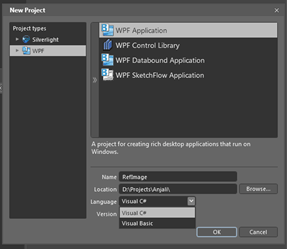
2. Select LayoutRootand then setBackground to black from the Properties pane.
3. Go to Assets Library and select a StackPanel Control and draw it on top of your LayoutRoot control.
Read more: C# Corner
1. Open a new project in Expression Blend and name it "RefImage" or any other name as you like with project type "WPF" and select Language as C#:
2. Select LayoutRootand then setBackground to black from the Properties pane.
3. Go to Assets Library and select a StackPanel Control and draw it on top of your LayoutRoot control.
Read more: C# Corner
Heritage Shared
A few days ago, we posted two C++ quizzes based on a question posted in a forum. Let’s review the first question
#include <iostream>
class Foo {
public:
virtual void DoStuff()=0;
};
class Bar : public Foo {
public:
virtual void DoStuff(int a)=0;
};
class Baz : public Bar {
public:
void DoStuff(int a) override
{
std::cout << "Baz::DoStuff(int)";
}
void DoStuff() override
{
std::cout << "Baz::DoStuff()";
}
};
int main() {
Baz baz;
Bar *pBar = &baz;
pBar->DoStuff();
}
The guy was frustrated because he expected two things:
The code would compile without errors.
Line 30 would end up by calling Baz::DoStuff() which in turn would have printed that same in the output console.
Instead, he got the following compile-time error at that same line
e:\foo.cpp(30): error C2660: 'Bar::DoStuff' : function does not take 0 arguments
The root of this compilation error is at line 11: as we are closing the definition of class Bar without saying anything about method DoStuff without arguments but, instead, having overloaded DoStuff in line 10 with a version that takes an argument of type int, what we just did was hide the original Foo::Stuff() declaration. With that said, the compilation error makes sense.
Read more: Visual C++ Team Blog
#include <iostream>
class Foo {
public:
virtual void DoStuff()=0;
};
class Bar : public Foo {
public:
virtual void DoStuff(int a)=0;
};
class Baz : public Bar {
public:
void DoStuff(int a) override
{
std::cout << "Baz::DoStuff(int)";
}
void DoStuff() override
{
std::cout << "Baz::DoStuff()";
}
};
int main() {
Baz baz;
Bar *pBar = &baz;
pBar->DoStuff();
}
The guy was frustrated because he expected two things:
The code would compile without errors.
Line 30 would end up by calling Baz::DoStuff() which in turn would have printed that same in the output console.
Instead, he got the following compile-time error at that same line
e:\foo.cpp(30): error C2660: 'Bar::DoStuff' : function does not take 0 arguments
The root of this compilation error is at line 11: as we are closing the definition of class Bar without saying anything about method DoStuff without arguments but, instead, having overloaded DoStuff in line 10 with a version that takes an argument of type int, what we just did was hide the original Foo::Stuff() declaration. With that said, the compilation error makes sense.
Read more: Visual C++ Team Blog
Interrupt Hooking and retrieving device information on Windows NT/2000/XP
Introduction
Hi, this is my first article, and English is not my natural language. So first, please excuse my terrible language. This article is about hooking software/hardware interrupts and will also show you, how to retrieve device resource information from the registry. I ASSUME A LITTLE BIT OF DRIVER CODING KNOWLEDGE FOR THIS ARTICLE!
Background/How this works
Ok, now I'll explain, how interrupt hooking works. When an interrupt (software or hardware) occurs, the cpu uses the idt (interrupt descriptor table) to read the necessary information about how to handle that interrupt. You can get the table's memory address like this:
#pragma pack(1) // 2 works, too
typedef struct tagIDT
{
WORD wLimit;
DWORD dwBase;
} IDT, *PIDT;
#pragma pack()
VOID
LoadIDT(
OUT PIDT pIdt )
{
__asm
{
MOV EAX, [pIdt] // load offset into EAX
SIDT [EAX]
}
}
The command SIDT saves the idt information, which consists of the idt base address and the size(limit) of the table, to the specified memory address.
Now you can read single descriptors from the table. Here is their structure:
#pragma pack(1)
typedef struct tagINT_VECTOR
{
WORD wLowOffset; // LOWORD of the handler's offset
WORD wSelector; // selector of the handler's offset
BYTE bAccess; // 0-3: Type
// 4: ?(=0)
// 5-6: DPL
// 7: Present
BYTE wUnused; // 0, 0, 0, unused (binary)
WORD wHighOffset; // HIWORD of the handler's offset
} INT_VECTOR, *PINT_VECTOR;
#pragma pack()
Hi, this is my first article, and English is not my natural language. So first, please excuse my terrible language. This article is about hooking software/hardware interrupts and will also show you, how to retrieve device resource information from the registry. I ASSUME A LITTLE BIT OF DRIVER CODING KNOWLEDGE FOR THIS ARTICLE!
Background/How this works
Ok, now I'll explain, how interrupt hooking works. When an interrupt (software or hardware) occurs, the cpu uses the idt (interrupt descriptor table) to read the necessary information about how to handle that interrupt. You can get the table's memory address like this:
#pragma pack(1) // 2 works, too
typedef struct tagIDT
{
WORD wLimit;
DWORD dwBase;
} IDT, *PIDT;
#pragma pack()
VOID
LoadIDT(
OUT PIDT pIdt )
{
__asm
{
MOV EAX, [pIdt] // load offset into EAX
SIDT [EAX]
}
}
The command SIDT saves the idt information, which consists of the idt base address and the size(limit) of the table, to the specified memory address.
Now you can read single descriptors from the table. Here is their structure:
#pragma pack(1)
typedef struct tagINT_VECTOR
{
WORD wLowOffset; // LOWORD of the handler's offset
WORD wSelector; // selector of the handler's offset
BYTE bAccess; // 0-3: Type
// 4: ?(=0)
// 5-6: DPL
// 7: Present
BYTE wUnused; // 0, 0, 0, unused (binary)
WORD wHighOffset; // HIWORD of the handler's offset
} INT_VECTOR, *PINT_VECTOR;
#pragma pack()
Here are the functions to load/save a descriptor:
VOID
LoadINTVector(
IN PIDT pIdt,
IN UCHAR iVector,
OUT PINT_VECTOR pVector )
{
__try
{
DWORD dwBase = pIdt->dwBase + iVector * sizeof(INT_VECTOR);
memcpy( pVector, (const void *)dwBase, sizeof(INT_VECTOR) );
}
__except( 1 )
{
DPRINT( "LoadINTVector: Exception\n" );
}
DPRINT( "LoadINTVector: Vector 0x%.2X successfully dumped\n",
iVector );
}
VOID
SaveINTVector(
IN PIDT pIdt,
IN UCHAR iVector,
IN PINT_VECTOR pVector )
{
__try
{
DWORD dwBase = pIdt->dwBase + iVector * sizeof(INT_VECTOR);
Read more: Codeproject
VOID
LoadINTVector(
IN PIDT pIdt,
IN UCHAR iVector,
OUT PINT_VECTOR pVector )
{
__try
{
DWORD dwBase = pIdt->dwBase + iVector * sizeof(INT_VECTOR);
memcpy( pVector, (const void *)dwBase, sizeof(INT_VECTOR) );
}
__except( 1 )
{
DPRINT( "LoadINTVector: Exception\n" );
}
DPRINT( "LoadINTVector: Vector 0x%.2X successfully dumped\n",
iVector );
}
VOID
SaveINTVector(
IN PIDT pIdt,
IN UCHAR iVector,
IN PINT_VECTOR pVector )
{
__try
{
DWORD dwBase = pIdt->dwBase + iVector * sizeof(INT_VECTOR);
Read more: Codeproject
How Google Tests Software
This is the first in a series of posts on this topic.
The one question I get more than any other is "How does Google test?" It's been explained in bits and pieces on this blog but the explanation is due an update. The Google testing strategy has never changed but the tactical ways we execute it has evolved as the company has evolved. We're now a search, apps, ads, mobile, operating system, and so on and so forth company. Each of these Focus Areas (as we call them) have to do things that make sense for their problem domain. As we add new FAs and grow the existing ones, our testing has to expand and improve. What I am documenting in this series of posts is a combination of what we are doing today and the direction we are trending toward in the foreseeable future.
Let's begin with organizational structure and it's one that might surprise you. There isn't an actual testing organization at Google. Test exists within a Focus Area called Engineering Productivity. Eng Prod owns any number of horizontal and vertical engineering disciplines, Test is the biggest. In a nutshell, Eng Prod is made of:
1. A product team that produces internal and open source productivity tools that are consumed by all walks of engineers across the company. We build and maintain code analyzers, IDEs, test case management systems, automated testing tools, build systems, source control systems, code review schedulers, bug databases... The idea is to make the tools that make engineers more productive. Tools are a very large part of the strategic goal of prevention over detection.
2. A services team that provides expertise to Google product teams on a wide array of topics including tools, documentation, testing, release management, training and so forth. Our expertise covers reliability, security, internationalization, etc., as well as product-specific functional issues that Google product teams might face. Every other FA has access to Eng Prod expertise.
3. Embedded engineers that are effectively loaned out to Google product teams on an as-needed basis. Some of these engineers might sit with the same product teams for years, others cycle through teams wherever they are needed most. Google encourages all its engineers to change product teams often to stay fresh, engaged and objective. Testers are no different but the cadence of changing teams is left to the individual. I have testers on Chrome that have been there for several years and others who join for 18 months and cycle off. Keeping a healthy balance between product knowledge and fresh eyes is something a test manager has to pay close attention to.
So this means that testers report to Eng Prod managers but identify themselves with a product team, like Search, Gmail or Chrome. Organizationally they are part of both teams. They sit with the product teams, participate in their planning, go to lunch with them, share in ship bonuses and get treated like full members of the team. The benefit of the separate reporting structure is that it provides a forum for testers to share information. Good testing ideas migrate easily within Eng Prod giving all testers, no matter their product ties, access to the best technology within the company.
This separation of project and reporting structures has its challenges. By far the biggest is that testers are an external resource. Product teams can't place too big a bet on them and must keep their quality house in order. Yes, that's right: at Google it's the product teams that own quality, not testers. Every developer is expected to do their own testing. The job of the tester is to make sure they have the automation infrastructure and enabling processes that support this self reliance. Testers enable developers to test.
What I like about this strategy is that it puts developers and testers on equal footing. It makes us true partners in quality and puts the biggest quality burden where it belongs: on the developers who are responsible for getting the product right. Another side effect is that it allows us a many-to-one dev-to-test ratio. Developers outnumber testers. The better they are at testing the more they outnumber us. Product teams should be proud of a high ratio!
Read more: Google Testing blog
The one question I get more than any other is "How does Google test?" It's been explained in bits and pieces on this blog but the explanation is due an update. The Google testing strategy has never changed but the tactical ways we execute it has evolved as the company has evolved. We're now a search, apps, ads, mobile, operating system, and so on and so forth company. Each of these Focus Areas (as we call them) have to do things that make sense for their problem domain. As we add new FAs and grow the existing ones, our testing has to expand and improve. What I am documenting in this series of posts is a combination of what we are doing today and the direction we are trending toward in the foreseeable future.
Let's begin with organizational structure and it's one that might surprise you. There isn't an actual testing organization at Google. Test exists within a Focus Area called Engineering Productivity. Eng Prod owns any number of horizontal and vertical engineering disciplines, Test is the biggest. In a nutshell, Eng Prod is made of:
1. A product team that produces internal and open source productivity tools that are consumed by all walks of engineers across the company. We build and maintain code analyzers, IDEs, test case management systems, automated testing tools, build systems, source control systems, code review schedulers, bug databases... The idea is to make the tools that make engineers more productive. Tools are a very large part of the strategic goal of prevention over detection.
2. A services team that provides expertise to Google product teams on a wide array of topics including tools, documentation, testing, release management, training and so forth. Our expertise covers reliability, security, internationalization, etc., as well as product-specific functional issues that Google product teams might face. Every other FA has access to Eng Prod expertise.
3. Embedded engineers that are effectively loaned out to Google product teams on an as-needed basis. Some of these engineers might sit with the same product teams for years, others cycle through teams wherever they are needed most. Google encourages all its engineers to change product teams often to stay fresh, engaged and objective. Testers are no different but the cadence of changing teams is left to the individual. I have testers on Chrome that have been there for several years and others who join for 18 months and cycle off. Keeping a healthy balance between product knowledge and fresh eyes is something a test manager has to pay close attention to.
So this means that testers report to Eng Prod managers but identify themselves with a product team, like Search, Gmail or Chrome. Organizationally they are part of both teams. They sit with the product teams, participate in their planning, go to lunch with them, share in ship bonuses and get treated like full members of the team. The benefit of the separate reporting structure is that it provides a forum for testers to share information. Good testing ideas migrate easily within Eng Prod giving all testers, no matter their product ties, access to the best technology within the company.
This separation of project and reporting structures has its challenges. By far the biggest is that testers are an external resource. Product teams can't place too big a bet on them and must keep their quality house in order. Yes, that's right: at Google it's the product teams that own quality, not testers. Every developer is expected to do their own testing. The job of the tester is to make sure they have the automation infrastructure and enabling processes that support this self reliance. Testers enable developers to test.
What I like about this strategy is that it puts developers and testers on equal footing. It makes us true partners in quality and puts the biggest quality burden where it belongs: on the developers who are responsible for getting the product right. Another side effect is that it allows us a many-to-one dev-to-test ratio. Developers outnumber testers. The better they are at testing the more they outnumber us. Product teams should be proud of a high ratio!
Read more: Google Testing blog
CloudFFS : Large scale, high performance files storage system
CloudFFS
So we built and deployed this new service not long ago at work, and @stelabouras suggested we document some parts of it for internal consumption. Given that I haven't blogged for months, I thought I 'd just pour those words here instead.
CloudFFS (yes, it is a funny name) is a file-system (but not in the traditional sense, it doesn't hook into the kernel VFS layer or anything ) that provides storage for unbound number of files and very fast access to them over HTTP. It can manage PB scale volumes and up to 2^64 files per namespace(see below).
We have hundreds of millions of static files(images, video, text files, you name it) stored across our storage devices; having to deal with those many files is not a pleasant task, for our sys.operators and developers alike. We wanted a solution that frees our developers from having to worry about storage and provides a very simple way to store and retrieve files, and at the same time help our systems guys deal with backups and management of those files efficiently.
There are many problems associated with the use of multiple files. Wasted inodes/disk blocks, slower access time (iterating a path components is not free, looking up a directory entity within a directory is not free either), difficulty in making backups, need and use of elaborate directory naming schemes in order to deal with large directories, and more. In addition that, accessing those files over a network filesystem (e.g NFS) is not efficient by any means. Developers need to be aware of those limitations and of the rules that are in place in order to deal with said limitations, which places an unnecessary burden on them.
None of the solutions we looked into really seemed all that great for us, so we went ahead and build our own. Though, to be fair, we almost always end up building our own anyway. This practice has worked great for us all those years and given that we are a technology company, it makes sense for us to disregard the 'not invented here' approach.
Data Model
Files are uniquely identified by a 64bit number. They belong in namespaces, for example 'blogs', or 'images, or 'mails'. A file can hold up to 1GB of data. Files can also be either public, or private. Public files can be accessed directly (e.g
, whereas private files require HTTP authentication. This makes it possible to, say, make everything accessible over the public Web, except files that should not be accessible in that fashion (e.g log files, archived content, emails, etc ).
Read more: CloudFFS
So we built and deployed this new service not long ago at work, and @stelabouras suggested we document some parts of it for internal consumption. Given that I haven't blogged for months, I thought I 'd just pour those words here instead.
CloudFFS (yes, it is a funny name) is a file-system (but not in the traditional sense, it doesn't hook into the kernel VFS layer or anything ) that provides storage for unbound number of files and very fast access to them over HTTP. It can manage PB scale volumes and up to 2^64 files per namespace(see below).
We have hundreds of millions of static files(images, video, text files, you name it) stored across our storage devices; having to deal with those many files is not a pleasant task, for our sys.operators and developers alike. We wanted a solution that frees our developers from having to worry about storage and provides a very simple way to store and retrieve files, and at the same time help our systems guys deal with backups and management of those files efficiently.
There are many problems associated with the use of multiple files. Wasted inodes/disk blocks, slower access time (iterating a path components is not free, looking up a directory entity within a directory is not free either), difficulty in making backups, need and use of elaborate directory naming schemes in order to deal with large directories, and more. In addition that, accessing those files over a network filesystem (e.g NFS) is not efficient by any means. Developers need to be aware of those limitations and of the rules that are in place in order to deal with said limitations, which places an unnecessary burden on them.
None of the solutions we looked into really seemed all that great for us, so we went ahead and build our own. Though, to be fair, we almost always end up building our own anyway. This practice has worked great for us all those years and given that we are a technology company, it makes sense for us to disregard the 'not invented here' approach.
Data Model
Files are uniquely identified by a 64bit number. They belong in namespaces, for example 'blogs', or 'images, or 'mails'. A file can hold up to 1GB of data. Files can also be either public, or private. Public files can be accessed directly (e.g
, whereas private files require HTTP authentication. This makes it possible to, say, make everything accessible over the public Web, except files that should not be accessible in that fashion (e.g log files, archived content, emails, etc ).
Read more: CloudFFS
Unit Testing ASP.NET MVC Routes
Two things I always encourage customers to do are;
/products/{productname}/{action}
… and then a developer comes along and adds a new route higher up the routing table that looks like this;
/products/{category}/{subcategory}
Hey presto, your website is broken. No-one can navigate to the {productname} pattern (assuming you have no other route validation going on). For this reason it is essential to unit test your routing table for any website, especially if it’s already live and you’re modifying it and adding functionality over time, because you could easily take down a whole piece of functionality. Remember to apply all the routes from every Area in your application during testing.
Read more: Simon Ince's Blog
- Always delete the default route pattern after a File –> New project. This helps you focus on designing your routes throughout your site, and helps reduce SEO-unfriendly routes etc.
- Always unit test your routing table.
/products/{productname}/{action}
… and then a developer comes along and adds a new route higher up the routing table that looks like this;
/products/{category}/{subcategory}
Hey presto, your website is broken. No-one can navigate to the {productname} pattern (assuming you have no other route validation going on). For this reason it is essential to unit test your routing table for any website, especially if it’s already live and you’re modifying it and adding functionality over time, because you could easily take down a whole piece of functionality. Remember to apply all the routes from every Area in your application during testing.
Read more: Simon Ince's Blog
Some remarks on VirtualAlloc and MEM_LARGE_PAGES
If you try to run the sample program demonstrating how to create a file mapping using large pages, you'll probably run into the error ERROR_NOT_ALL_ASSIGNED (Not all privileges or groups referenced are assigned to the caller) when calling AdjustTokenPrivileges. What is going on?
The AdjustTokenPrivileges enables privileges that you already have (but which are masked). Sort of like how a super hero can't use super powers while disguised as a normal mild-mannered citizen. In order to enable the SeLockMemoryPrivilege privilege, you must already have it. But where do you get it?
You do this by using the group policy editor. The list of privileges says that the SeLockMemoryPrivilege corresponds to "Lock pages in memory".
Why does allocating very large pages require permission to lock pages in memory?
Because very large pages are not pageable. This is not an inherent limitation of large pages; the processor is happy to page them in or out, but you have to do it all or nothing. In practice, you don't want a single page-out or page-in operation to consume 4MB or 16MB of disk I/O; that's a thousand times more I/O than your average paging operation. And in practice, the programs which use these large pages are "You paid $40,000 for a monster server whose sole purpose is running my one application and nothing else" type applications, like SQL Server. Those applications don't want this memory to be pageable anyway, so adding code to allow them to be pageable is not only a bunch of work, but it's a bunch of work to add something nobody who uses the feature actually wants.
Read more: The old new thing
The AdjustTokenPrivileges enables privileges that you already have (but which are masked). Sort of like how a super hero can't use super powers while disguised as a normal mild-mannered citizen. In order to enable the SeLockMemoryPrivilege privilege, you must already have it. But where do you get it?
You do this by using the group policy editor. The list of privileges says that the SeLockMemoryPrivilege corresponds to "Lock pages in memory".
Why does allocating very large pages require permission to lock pages in memory?
Because very large pages are not pageable. This is not an inherent limitation of large pages; the processor is happy to page them in or out, but you have to do it all or nothing. In practice, you don't want a single page-out or page-in operation to consume 4MB or 16MB of disk I/O; that's a thousand times more I/O than your average paging operation. And in practice, the programs which use these large pages are "You paid $40,000 for a monster server whose sole purpose is running my one application and nothing else" type applications, like SQL Server. Those applications don't want this memory to be pageable anyway, so adding code to allow them to be pageable is not only a bunch of work, but it's a bunch of work to add something nobody who uses the feature actually wants.
Read more: The old new thing
Understanding IIS Bindings
Internet Information Services (IIS) uses 4 decision points for the site bindings. They are the protocol, port, IP and host header. This video lesson walks through the bindings and shows how each one is used.
This is part 5 of a 52 week series on various topics for the Web Administrator.
Other weeks include:
This is part 5 of a 52 week series on various topics for the Web Administrator.
Other weeks include:
- Week 1 – Ping and Tracert
- Week 2 – Understanding DNS zone records
- Week 3 – Nslookup – the Ultimate DNS Troubleshooting Tool
- Week 4 – Three Tricks for Capturing Command Line Output
Debug Analyzer.NET - A debugging utility, written in .Net, for .Net developers, to help debug .Net applications
What is Debug Analyzer.NET?
Debug Analyzer.NET is a debugging automation tool to analyze memory dumps using analysis plug-ins written in .NET! It has several other features to make your debugging life easier and pleasant. It also takes advantage of Wisdom of Crowd to enhance the analysis capabilities. In other words, if you have used windbg + sos/psscor and ever wondered about automating debug analysis, Debug Analyzer.NET is for you!
Target Audience:
Debug Analyzer.NET targets anyone who uses .NET Framework for their application development. Normal developers can use pre-written analysis to run against their application memory dump to analyze issues. Debugging Experts can enhance Debug Analyzer.NET to add more Analysis using the Plug
Framework
Read more: Greg's Cool [Insert Clever Name] of the Day
Read more: Debug Analyzer.NET
Debug Analyzer.NET is a debugging automation tool to analyze memory dumps using analysis plug-ins written in .NET! It has several other features to make your debugging life easier and pleasant. It also takes advantage of Wisdom of Crowd to enhance the analysis capabilities. In other words, if you have used windbg + sos/psscor and ever wondered about automating debug analysis, Debug Analyzer.NET is for you!
Target Audience:
Debug Analyzer.NET targets anyone who uses .NET Framework for their application development. Normal developers can use pre-written analysis to run against their application memory dump to analyze issues. Debugging Experts can enhance Debug Analyzer.NET to add more Analysis using the Plug
Framework
Read more: Greg's Cool [Insert Clever Name] of the Day
Read more: Debug Analyzer.NET
A Plea to Software Vendors from Sysadmins - 10 Do's and Don'ts
What can software vendors do to make the lives of sysadmins a little easier?
A friend of mine is a grease monkey: the kind of auto enthusiast who rebuilds engines for fun on a Saturday night. He explained to me that certain brands of automobiles were designed in ways to make the mechanic's job easier. Others, however, were designed as if the company had a pact with the aspirin industry to make sure there are plenty of mechanics with headaches. He said those car companies hate mechanics. I understood completely because, as a system administrator, I can tell when software vendors hate me. It shows in their products.
A panel discussion at CHIMIT (Computer-Human Interaction for Management of Information Technology) 2009 discussed a number of do's and don'ts for software vendors looking to make software that is easy to install, maintain, and upgrade. This article highlights some of the issues uncovered. CHIMIT is a conference that focuses on computer-human interaction for IT workers—the opposite of most CHI research, which is about the users of the systems that IT workers maintain. This panel turned the microscope around and gave system administrators a forum to share how they felt about the speakers who were analyzing them.
Here are some highlights:
1. DO have a "silent install" option. One panelist recounted automating the installation of a software package on 2,000 desktop PCs, except for one point in the installation when a window popped up and the user had to click OK. All other interactions could be programmatically eliminated through a "defaults file." Linux/Unix tools such as Puppet and Cfengine should be able to automate not just installation, but also configuration. Deinstallation procedures should not delete configuration data, but there should be a "leave no trace" option that removes everything except user data.
2. DON'T make the administrative interface a GUI. System administrators need a command-line tool for constructing repeatable processes. Procedures are best documented by providing commands that we can copy and paste from the procedure document to the command line. We cannot achieve the same repeatability when the instructions are: "Checkmark the 3rd and 5th options, but not the 2nd option, then click OK." Sysadmins do not want a GUI that requires 25 clicks for each new user. We want to craft the commands to be executed in a text editor or generate them via Perl, Python, or PowerShell.
3. DO create an API so that the system can be remotely administered. An API gives us the ability to do things with your product you didn't think of. That's a good thing. System administrators strive to automate, and automate to thrive. The right API lets me provision a service automatically as part of the new employee account creation system. The right API lets me write a chat bot that hangs out in a chat room to make hourly announcements of system performance. The right API lets me integrate your product with a USB-controlled toy missile launcher. Your other customers may be satisfied with a "beep" to get their attention; I like my way better (http://www.kleargear.com/5004.html).
4. DO have a configuration file that is an ASCII file, not a binary blob. This way the files can be checked into a source-code control system. When the system is misconfigured it becomes important to be able to "diff" against previous versions. If the file can't be uploaded back into the system to re-create the same configuration, then we can't trust that you're giving us all the data. This prevents us from cloning configurations for mass deployment or disaster recovery. If the file can be edited and uploaded back into the system, then we can automate the creation of configurations. Archives of configuration backups make for interesting historical analysis.1
5. DO include a clearly defined method to restore all user data, a single user's data, and individual items (for example, one e-mail message). The method to make backups is a prerequisite, obviously, but we care primarily about the restore procedures.
6. DO instrument the system so that we can monitor more than just, "Is it up or down?" We need to be able to determine latency, capacity, and utilization, and we need to be able to collect this data. Don't graph it yourself. Let us collect and analyze the raw data so we can make the "pretty picture" graphs that our nontechnical management will understand. If you aren't sure what to instrument, imagine the system being completely overloaded and slow: what parameters would we need to be able to find and fix the problem?
7. DO tell us about security issues. Announce them publicly. Put them in an RSS feed. Tell us even if you don't have a fix yet; we need to manage risk. Your PR department doesn't understand this, and that's OK. It is your job to tell them to go away.
8. DO use the built-in system logging mechanism (Unix syslog or Windows Event Logs). This allows us to leverage preexisting tools that collect, centralize, and search the logs. Similarly, use the operating system's built-in authentication system and standard I/O systems.
9. DON'T scribble all over the disk. Put binaries in one place, configuration files in another, data someplace else. That's it. Don't hide a configuration file in /etc and another one in /var. Don't hide things in \Windows. If possible, let me choose the path prefix at install time.
Read more: acm queue
A friend of mine is a grease monkey: the kind of auto enthusiast who rebuilds engines for fun on a Saturday night. He explained to me that certain brands of automobiles were designed in ways to make the mechanic's job easier. Others, however, were designed as if the company had a pact with the aspirin industry to make sure there are plenty of mechanics with headaches. He said those car companies hate mechanics. I understood completely because, as a system administrator, I can tell when software vendors hate me. It shows in their products.
A panel discussion at CHIMIT (Computer-Human Interaction for Management of Information Technology) 2009 discussed a number of do's and don'ts for software vendors looking to make software that is easy to install, maintain, and upgrade. This article highlights some of the issues uncovered. CHIMIT is a conference that focuses on computer-human interaction for IT workers—the opposite of most CHI research, which is about the users of the systems that IT workers maintain. This panel turned the microscope around and gave system administrators a forum to share how they felt about the speakers who were analyzing them.
Here are some highlights:
1. DO have a "silent install" option. One panelist recounted automating the installation of a software package on 2,000 desktop PCs, except for one point in the installation when a window popped up and the user had to click OK. All other interactions could be programmatically eliminated through a "defaults file." Linux/Unix tools such as Puppet and Cfengine should be able to automate not just installation, but also configuration. Deinstallation procedures should not delete configuration data, but there should be a "leave no trace" option that removes everything except user data.
2. DON'T make the administrative interface a GUI. System administrators need a command-line tool for constructing repeatable processes. Procedures are best documented by providing commands that we can copy and paste from the procedure document to the command line. We cannot achieve the same repeatability when the instructions are: "Checkmark the 3rd and 5th options, but not the 2nd option, then click OK." Sysadmins do not want a GUI that requires 25 clicks for each new user. We want to craft the commands to be executed in a text editor or generate them via Perl, Python, or PowerShell.
3. DO create an API so that the system can be remotely administered. An API gives us the ability to do things with your product you didn't think of. That's a good thing. System administrators strive to automate, and automate to thrive. The right API lets me provision a service automatically as part of the new employee account creation system. The right API lets me write a chat bot that hangs out in a chat room to make hourly announcements of system performance. The right API lets me integrate your product with a USB-controlled toy missile launcher. Your other customers may be satisfied with a "beep" to get their attention; I like my way better (http://www.kleargear.com/5004.html).
4. DO have a configuration file that is an ASCII file, not a binary blob. This way the files can be checked into a source-code control system. When the system is misconfigured it becomes important to be able to "diff" against previous versions. If the file can't be uploaded back into the system to re-create the same configuration, then we can't trust that you're giving us all the data. This prevents us from cloning configurations for mass deployment or disaster recovery. If the file can be edited and uploaded back into the system, then we can automate the creation of configurations. Archives of configuration backups make for interesting historical analysis.1
5. DO include a clearly defined method to restore all user data, a single user's data, and individual items (for example, one e-mail message). The method to make backups is a prerequisite, obviously, but we care primarily about the restore procedures.
6. DO instrument the system so that we can monitor more than just, "Is it up or down?" We need to be able to determine latency, capacity, and utilization, and we need to be able to collect this data. Don't graph it yourself. Let us collect and analyze the raw data so we can make the "pretty picture" graphs that our nontechnical management will understand. If you aren't sure what to instrument, imagine the system being completely overloaded and slow: what parameters would we need to be able to find and fix the problem?
7. DO tell us about security issues. Announce them publicly. Put them in an RSS feed. Tell us even if you don't have a fix yet; we need to manage risk. Your PR department doesn't understand this, and that's OK. It is your job to tell them to go away.
8. DO use the built-in system logging mechanism (Unix syslog or Windows Event Logs). This allows us to leverage preexisting tools that collect, centralize, and search the logs. Similarly, use the operating system's built-in authentication system and standard I/O systems.
9. DON'T scribble all over the disk. Put binaries in one place, configuration files in another, data someplace else. That's it. Don't hide a configuration file in /etc and another one in /var. Don't hide things in \Windows. If possible, let me choose the path prefix at install time.
Read more: acm queue
BitLocker Wrapper Library
Project Description
The BDE Wrapper library allows .NET Developers to quickly use the WMI BitLocker provider without having to learn the complex methods and operation of the WMI classes.
Read more: Codeplex
The BDE Wrapper library allows .NET Developers to quickly use the WMI BitLocker provider without having to learn the complex methods and operation of the WMI classes.
Read more: Codeplex
CLR Profiler for the .NET Framework 4
Brief Description. The CLR Profiler allows developers to see the allocation profile of their managed applications.
Read more: MS Download
Read more: MS Download
Windows Phone GPS Emulator
All Windows Phone devices have a built-in Assisted GPS (aGPS), which is used by various phone applications including maps, camera, and search (to provide location-based search results). Developers can access location information on Windows Phone by using the System.Device.Location namespace, which is supported in .NET 4 and later. The GeoCoordinateWatcher class supplies location data based on latitude and longitude coordinates.
Working with the GeoCoordinateWatcher is relatively simple. Later in this piece, we’ll explain in more detail how to work with that class and how to test your application on a Windows Phone 7. However, sometimes your application requires more than just a single location, it requires tracking movement, and you may need to test how your application behaves in different locations.
At these times, it may look odd to be driving around the block with your Windows Phone attached to a laptop while you try to debug your application.
Don’t worry—you’re in good hands. The Windows Phone GPS Emulator (a small WPF application) and one WP7 DLL enable you to debug your application on the Windows Phone emulator or a real device without leaving the comfort of your home or office. Once you’ve completed your testing and debugging, you only need to change a single line of code to switch to the device back to real GPS.
With the GPS Emulator, you can set a location anywhere on the globe by using the map display. Furthermore, you can plan routes with multiple intermediate waypoints, or use Bing services to calculate driving directions between locations. Once you’ve planned a route, you can simulate driving through the pre-defined waypoints along the path.
Read more: The Windows Phone Developer Blog
Working with the GeoCoordinateWatcher is relatively simple. Later in this piece, we’ll explain in more detail how to work with that class and how to test your application on a Windows Phone 7. However, sometimes your application requires more than just a single location, it requires tracking movement, and you may need to test how your application behaves in different locations.
At these times, it may look odd to be driving around the block with your Windows Phone attached to a laptop while you try to debug your application.
Don’t worry—you’re in good hands. The Windows Phone GPS Emulator (a small WPF application) and one WP7 DLL enable you to debug your application on the Windows Phone emulator or a real device without leaving the comfort of your home or office. Once you’ve completed your testing and debugging, you only need to change a single line of code to switch to the device back to real GPS.
With the GPS Emulator, you can set a location anywhere on the globe by using the map display. Furthermore, you can plan routes with multiple intermediate waypoints, or use Bing services to calculate driving directions between locations. Once you’ve planned a route, you can simulate driving through the pre-defined waypoints along the path.
Read more: The Windows Phone Developer Blog
ASP.Net MVC - Multi Form and Multi Submit Button Handling
Introduction
This article is inspired by the blog that showed excelled approach for using ActionNameSelector attribute. I have tried to take this approach little further to support multiple forms and multiple submit buttons without providing any hardcoded value to the attribute but just by specifying name of the form and button this action intended to handle. This makes sense when you don’t want to specify any Value directly inside code, as in case of localization when Value of buttons is not fixed.
Let’s design our approach for both the scenarios.
1. Multiple forms on same page
We will have an attribute to handle this scenario that will look for the form name from which the request has been posted. To have this we need to store form name in hidden field. So let’s create extension method of BeginForm to handle this.
public static MvcForm BeginForm(this HtmlHelper htmlHelper, string formName)
{
return BeginForm(htmlHelper, null, formName);
}
public static MvcForm BeginForm(this HtmlHelper htmlHelper, MvcForm form, string formName)
{
if(String.IsNullOrEmpty(formName))
throw new ArgumentNullException("formName");
if (form == null)
form = htmlHelper.BeginForm();
htmlHelper.ViewContext.Writer.WriteLine(htmlHelper.Hidden("n.__formName", formName));
return form;
}
Now we have our hidden field rendered along with form name in output inside the current form tag. Below is the output of the page for View page
@using (Html.BeginForm("LogOn"))
{ }
@using (Html.BeginForm("ChangePassword"))
{ }
View Output
<form action="/" method="post"><input name="n.__formName" type="hidden" value="LogOn" />
</form>
<form action="/" method="post"><input name="n.__formName" type="hidden" value="ChangePassword" />
</form>
This article is inspired by the blog that showed excelled approach for using ActionNameSelector attribute. I have tried to take this approach little further to support multiple forms and multiple submit buttons without providing any hardcoded value to the attribute but just by specifying name of the form and button this action intended to handle. This makes sense when you don’t want to specify any Value directly inside code, as in case of localization when Value of buttons is not fixed.
Let’s design our approach for both the scenarios.
1. Multiple forms on same page
We will have an attribute to handle this scenario that will look for the form name from which the request has been posted. To have this we need to store form name in hidden field. So let’s create extension method of BeginForm to handle this.
public static MvcForm BeginForm(this HtmlHelper htmlHelper, string formName)
{
return BeginForm(htmlHelper, null, formName);
}
public static MvcForm BeginForm(this HtmlHelper htmlHelper, MvcForm form, string formName)
{
if(String.IsNullOrEmpty(formName))
throw new ArgumentNullException("formName");
if (form == null)
form = htmlHelper.BeginForm();
htmlHelper.ViewContext.Writer.WriteLine(htmlHelper.Hidden("n.__formName", formName));
return form;
}
Now we have our hidden field rendered along with form name in output inside the current form tag. Below is the output of the page for View page
@using (Html.BeginForm("LogOn"))
{ }
@using (Html.BeginForm("ChangePassword"))
{ }
View Output
<form action="/" method="post"><input name="n.__formName" type="hidden" value="LogOn" />
</form>
<form action="/" method="post"><input name="n.__formName" type="hidden" value="ChangePassword" />
</form>
Now let’s design ActionNameSelectorAttribute
[AttributeUsage(AttributeTargets.Method)]
public class FormActionSelectorAttribute : ActionNameSelectorAttribute
{
private readonly string[] _formName;
public FormActionSelectorAttribute(params string[] formName)
{
if (formName == null)
throw new ArgumentNullException("formName");
_formName = formName;
}
public string[] FormName
{ get { return _formName; }
}
public override bool IsValidName(ControllerContext controllerContext, string actionName, System.Reflection.MethodInfo methodInfo)
{
return _formName.Contains(controllerContext.RequestContext.HttpContext.Request.Form["n.__formName"]);
}
}
[AttributeUsage(AttributeTargets.Method)]
public class FormActionSelectorAttribute : ActionNameSelectorAttribute
{
private readonly string[] _formName;
public FormActionSelectorAttribute(params string[] formName)
{
if (formName == null)
throw new ArgumentNullException("formName");
_formName = formName;
}
public string[] FormName
{ get { return _formName; }
}
public override bool IsValidName(ControllerContext controllerContext, string actionName, System.Reflection.MethodInfo methodInfo)
{
return _formName.Contains(controllerContext.RequestContext.HttpContext.Request.Form["n.__formName"]);
}
}
Implementation
[HttpPost]
[FormActionSelector("LogOn")]
public ActionResult Index(LogOnModel logOn)
{
var account = new Account {LogOn = logOn};
return View(account);
}
[HttpPost]
[FormActionSelector("ChangePassword")]
public ActionResult Index(ChangePasswordModel changePasswordModel)
{
var account = new Account {ChangePassword = changePasswordModel};
return View(account);
}
[HttpPost]
[FormActionSelector("LogOn")]
public ActionResult Index(LogOnModel logOn)
{
var account = new Account {LogOn = logOn};
return View(account);
}
[HttpPost]
[FormActionSelector("ChangePassword")]
public ActionResult Index(ChangePasswordModel changePasswordModel)
{
var account = new Account {ChangePassword = changePasswordModel};
return View(account);
}
2. Multiple submit buttons inside same form
As we don’t want to do check using value of button we need to follow same approach that we used in form names. But in this scenario our value of hidden filed should be decided on click of that button. So now we will have to handle this from client side. Rather than adding this hidden field right from we will use small script to create only when needed. You can do this just like we did in multi form scenario, but I prefer it this way. Here I’m going to add new attribute to submit button to attach our function on click of it.
Read more: Codeproject
As we don’t want to do check using value of button we need to follow same approach that we used in form names. But in this scenario our value of hidden filed should be decided on click of that button. So now we will have to handle this from client side. Rather than adding this hidden field right from we will use small script to create only when needed. You can do this just like we did in multi form scenario, but I prefer it this way. Here I’m going to add new attribute to submit button to attach our function on click of it.
Read more: Codeproject
NuGet
NuGet (formerly known as NuPack) is a free, open source developer focused package management system for the .NET platform intent on simplifying the process of incorporating third party libraries into a .NET application during development. NuGet is a member of the ASP.NET Gallery in the Outercurve Foundation (see the press release).
There are a large number of useful 3rd party open source libraries out there for the .NET platform, but for those not familiar with the OSS ecosystem, it can be a pain to pull these libraries into a project.
Let’s take ELMAH as an example. It’s a fine error logging utility which has no dependencies on other libraries, but is still a challenge to integrate into a project. These are the steps it takes:
Read more: Codeplex
There are a large number of useful 3rd party open source libraries out there for the .NET platform, but for those not familiar with the OSS ecosystem, it can be a pain to pull these libraries into a project.
Let’s take ELMAH as an example. It’s a fine error logging utility which has no dependencies on other libraries, but is still a challenge to integrate into a project. These are the steps it takes:
- Find ELMAH
- Download the correct zip package.
- “Unblock” the package.
- Verify its hash against the one provided by the hosting environment.
- Unzip the package contents into a specific location in the solution.
- Add an assembly reference to the assembly.
- Update web.config with the correct settings which a developer needs to search for.
Read more: Codeplex
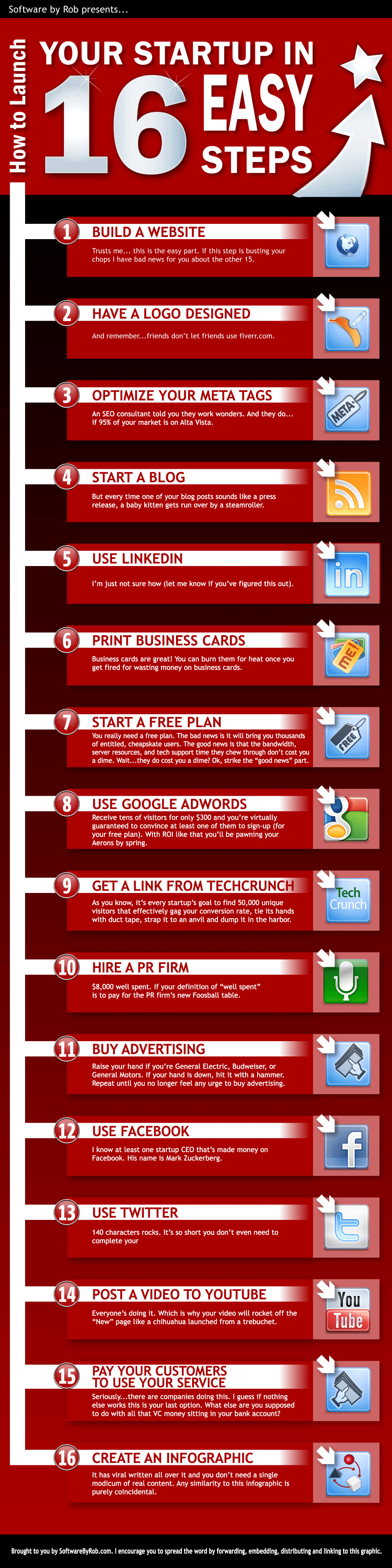
Subscribe to:
Posts (Atom)