Sunday, October 31, 2010

Free ebook: Programming Windows Phone 7, by Charles Petzold

6558.9780735643352x_5F00_thumb_5F00_6E9D86B6.jpg

Gang, we’re done! 24 chapters, about 1,000 pages. Congratulations to Charles, who has outdone himself!
Speaking for Charles and for the Windows Phone 7 team, we hope that you will enjoy Programming Windows Phone 7:
You can download a PDF here (38.6 MB).
And you can download the ebook’s sample code here (5.03 MB).
To give you a sense of this offering, here is Charles’s Introduction—beneath that you’ll find the ebook’s full Table of Contents:
Introduction
This book is a gift from the Windows Phone 7 team at Microsoft to the programming community, and I am proud to have been a part of it. Within the pages that follow, I show you the basics of writing applications for Windows Phone 7 using the C# programming language with the Silverlight and XNA 2D frameworks.
Yes, Programming Windows Phone 7 is truly a free download, but for those readers who still love paper—as I certainly do—this book will also be available (for sale) divided into two fully-indexed print editions: Microsoft Silverlight Programming for Windows Phone 7 and Microsoft XNA Framework Programming for Windows Phone 7. [Note from Devon: we should have these ready for order in December 2010.]
With the money you’ve saved downloading this book, please buy other books. Despite the plethora of information available online, books are still the best way to learn about programming within a coherent and cohesive tutorial narrative. Every book sale brings a tear of joy to an author’s eye, so please help make them weep overflowing rivers.
In particular, you might want to buy other books to supplement the material in this book. For example, I barely mention Web services in this book, and that’s a serious deficiency because Web services are likely to become increasingly important in Windows Phone 7 applications. My coverage of XNA is limited to 2D graphics and while I hope to add several 3D chapters in the next edition of this book, I don’t really get into the whole Xbox LIVE community aspect of game development. Nor do I discuss any programming tools beyond Visual Studio—not even Expression Blend.
My publisher Microsoft Press has a couple additional Windows Phone 7 books coming soon: Windows Phone 7 Silverlight Development Step by Step by Andy Wigley & Peter Foot offers a more tools-oriented approach. Although Michael Stroh’s Windows Phone 7 Plain & Simple is a guide to using the phone rather than developing for it, I suspect it will give developers some insights and ideas.
Moreover, I also hear that my old friend Doug Boling is working hard on a Windows Phone 7 enterprise-programming book that is likely to be considered his masterpiece. Be sure to check out that one.
Read more: Microsoft Press

PDC10: Mysteries of Windows Memory Management Revealed: Part Two

In the last session, focusing on virtual memory, it was noted that there was almost no connection between virtual and physical memory. The only connection is that the system commit limit is the sum of physical memory and the size of the paging file(s). This session focuses on the physical memory aspects of the memory management architecture in Windows.
Physical Memory and Working Set
The working set is the physical memory that Windows gives to your process, given to you when you demand it by touching the virtual address space. A process starts with an empty working set – as it references pages that aren’t in the working set, it incurs a page fault. Many such page faults are resolved simply from memory (for example, if you load an image that is already in the file cache).
Each process has a working set default minimum and maximum. Windows doesn’t pay any attention to the maximum working set; Windows uses the minimum to commit that amount of memory, as well as to lock memory.
At some point, the memory manager decides the process is large enough; it then gives up pages to make room for new pages. If your process is ballooning, the memory manager will tend to favor it because it is obviously memory-hungry; but at some stage, it will start to pull pages out of the working set that are least recently used before it will allocate new memory to that process.
Unlike other OS, it is a local page replacement policy, meaning that it will pull the pages from the requesting process.
The working set consists of shareable and private pages; there are performance counters that measure this. Shareable working set is effectively counted as “private” if it is not shared. Note that the working set does not include trimmed memory that is still cached.
Windows Task Manager only offers the private working set figure; Process Explorer gives you a more detailed view. Remember – it’s only when you touch the memory that is committed that it becomes part of the private working set. Comparing testlimit with –m, –r and –d switches demonstrates the differences here.
Physical Memory Page Lists
The system keeps unassigned physical pages on one of several page lists in the Page Frame Number (PFN) database, each maintained as FIFO list:

  • free (available for allocation but has dirty data in it);
  • modified (previously belonging to a process but needing to be written to a backing store before it can be reused;
  • standby (still associated with a process but not included in the working set);
  • zero (zeroed out memory safe for allocation),
  • ROM (read-only memory)
  • bad (pages that failed internal consistency checks).

Read more: Tim Sneath

Logical Tree and Visual Tree in WPF

Elements of a WPF user interface are hierarchically related. This relation is called the Logical Tree. The template of one element consists of multiple visual elements. This tree is called the VisualTree. WPF differs between those two trees, because for some problems you only need the logical elements and for other problems you want all elements.
lognvis.bmp

<Window>
<Grid>
<Label Content="Label" />
<Button Content="Button" />
</Grid>
</Window>
a. Why do we need two different kinds of trees?
A WPF control consists of multiple, more primitive controls. A button - for example - consists of a border, a rectangle and a content presenter. These controls are visual children of the button. When WPF renders the button, the element itself has no appearance, but it iterates through the visual tree and renders the visual children of it. This hierarchical relation can also be used to do hit-testing, layout etc. But sometimes you are not interested in the borders and rectangles of a controls' template. Particulary because the template can be replaced, and so you should not relate on the visual tree structure! Because of that you want a more robust tree that only contains the "real" controls - and not all the template parts. And that is the eligibility for the logical tree.
b. The Logical Tree
The logical tree describes the relations between elements of the user interface. The logical tree is responsible for:
               1.Inherit DependencyProperty values
2. Resolving DynamicResources references
3. Looking up element names for bindings
4. Forwaring RoutedEvents
c. The Visual Tree

Read more: C# Corner

Post-PDC HTML5 v. Silverlight Debate

I've been an advocate of Silverlight since it was called WPF/E, so I am not quite an unbiased observer. I decided to sit back and watch the twitterverse explode and see what the world thought. The Silverlight guys got angry; the ASP.NET guys got glib; the open source guys ignored us all. In case you haven't seen, this was the Mary-Jo Foley article that started it:
I've seen a couple of blog posts on it including (in no discernable order):
I looked for some blogs on the otherside, but I found most to be either smug (e.g. "See Microsoft will always fail") or off the point (e.g. "Silverlight failed because we hate IE6"). If you have some to share, please add a comment.
So What Do I think?
My view hasn't changed in the last few years on this (and it didn't change today):
Silverlight is good for Apps; HTML is good for sites.
That's it. I didn't say use the words "only", "must", "should" or "can't". Its all a matter of your priorities.
Read more: Shawn Wildermuth

TSQL Beginners Challenge 18 - Count the total occurrences of HTML tags in the given string

This challenge involves counting the number of occurrences of HTML tags in a given list of strings. You can assume that there will be only valid HTML tags in the input strings. The output should display tags in ascending order.
Sample Input Data
ID  HtmlText
-- -------------------------------------------------------------------------
1   <Html><Body><Font>This is challenge #18</Font><Font></Font></Body></Html>

Expected Output
ID  TagNamesOccurance
--  -----------------------------------------------------------------
1   Body(Found: 1 time), Font(Found: 2 times), Html(Found: 1 time)
Script
DECLARE @t TABLE(ID INT IDENTITY, HtmlText VARCHAR(Max))
INSERT INTO @t(HtmlText)
SELECT '<Html><Body><Font>This is challenge #18</Font><Font></Font></Body></Html>'
SELECT * FROM @t

Read more: Beyond Relational

Microsoft’s Silverlight dream is over

Remember “WPF Everywhere”? Microsoft’s strategy was to create a small cross-platform runtime that would run .NET applications on every popular platform, as well as forming a powerful multimedia player. Initially just a browser plug-in, Silverlight 3 and 4 took it to the next level, supporting out of browser applications that integrate with the desktop.

The pace of Silverlight development was unusually fast, from version 1.0 in 2007 to version 4.0 in April 2010, and Microsoft bragged about how many developer requests it satisfied with the latest version.

Silverlight has many strong features, performs well, and to me is the lightweight .NET client Microsoft should have done much earlier. That said, there have always been holes in the Silverlight story. One is Linux support, where Microsoft partnered with Novell’s open source Mono project but without conviction. More important, device support has been lacking. Silverlight never appeared for Windows Mobile; there is a Symbian port that nobody talks about; a version for Intel’s Moblin/Meego was promised but has gone quiet – though it may yet turn up – and there is no sign of a port for Android. Silverlight is no more welcome on Apple’s iOS (iPhone and iPad), of course, than Adobe’s Flash; but whereas Adobe has fought hard to get Flash content onto iOS one way or another, such as through its native code packager, Microsoft has shown no sign of even trying.

In the early days of Silverlight, simply supporting Windows and Mac accounted for most of what people wanted from a cross-platform client. That is no longer the case.

Further, despite a few isolated wins, Silverlight has done nothing to dent the position of Adobe Flash as a cross-platform multimedia and now application runtime. Silverlight has advantages, such as the ability to code in C# rather than ActionScript, but the Flash runtime has the reach and the partners. At the recent MAX conference RIM talked up Flash on the Blackberry tablet, the Playbook, and Google talked up Flash on Google TV. I have not heard similar partner announcements for Silverlight.

Why has not Microsoft done more to support Silverlight? It does look as if reports of internal factions were correct. Why continue the uphill struggle with Silverlight, when a fast HTML 5 browser, in the form of IE9, meets many of the same needs and will work across the Apple and Google platforms without needing a non-standard runtime?

Read more: Tim Anderson’s ITWriting

Posted via email from .NET Info

Sorting Lists with Null Values

When working with data, you often have values that are null. For example, you may allow entry of a user's birthday, but not require entry. So some of your rows may contain a null date. Or your application may track a customer's last order date, which will be null if you track potential customers that have not yet made a purchase.
When you sort a list that contains null values, the null values will be first in the list as shown below:
4718.image_5F00_thumb_5F00_5D03FA61.png

Read more: Deborah's Developer MindScape

Microsoft Application Platform at a Glance

“To stay on the map you've got to keep showing up.” -- Peter Gallagher
Periodically I create a map of the Microsoft application platform.  (Here is my previous map of the Microsoft application platform.)   Making the map helps me stay on top of the platform, identify potential changes to architecture and design strategies, and anticipate trends.  It also helps me figure out where to invest my time and energy.  It also helps me see potential customer confusion.
Here is my latest map of the Microsoft application platform:
Category
Items
Application Infrastructure
  • .NET Framework
  • Base Class Libraries (BCL)
  • Common Language Runtime (CLR)
  • Language Integrated Query (LINQ)
ALM (Application Life-Cycle Management)
  • Visual Studio Team System
  • Visual Studio Team Foundation Server
App Frameworks / Extensions
  • Enterprise Library
  • Managed Extensibility Framework (MEF)
Cloud
  • Windows Azure
  • Windows Azure DataMarket (“Dallas”)
  • Windows Azure Tools for Microsoft Visual Studio
  • App Fabric
  • SQL Azure
Collaboration / Integration / Workflow
  • SharePoint Server
  • Windows Workflow Foundation (WF)
  • Microsoft Office SharePoint Server (MOSS)
  • Microsoft BizTalk Server
Data Access
  • ADO.NET Core
  • ADO.NET Entity Framework
  • ADO.NET Sync Framework
  • LINQ to SQL
  • OData
  • WCF Data Services
  • WCF RIA Services
Database Server / Storage
  • SQL Azure
  • SQL Server
  • SQL Server Compact
Desktop
  • WPF (Windows Presentation Foundation)
  • Silverlight (Out-of-Browser)
  • Windows Forms
Developer Tools
  • Microsoft Visual Studio
  • Microsoft Expression Studio
  • Microsoft Visual Studio Express
  • Microsoft Visual Studio LightSwitch
  • Microsoft Visual Studio Team Foundation Server
Games
  • XNA
  • D3D
  • Win32
Identity
  • WIF (Windows Identity Foundation) (Geneva)
  • Active Directory Federation Services (Geneva Server)
  • Card Space
Languages
  • Common Language Runtime (CLR)
  • Dynamic Language Runtime
  • Visual Basic
  • Visual C#
  • Visual C++
  • F#
  • Iron Python
  • IronRuby
LINQ
  • LINQ to Entities
  • LINQ to SQL
  • LINQ to XML
  • LINQ to DataSet
  • LINQ to Objects
Manageability
  • Systems Center Operations Manager (SCOM)
Office
  • Office 2010
  • Visual Studio Office Development Projects
  • Office 2010 PIA (Primary Interop Assemblies)
Parallel
  • F#
  • Parallel Extensions for .NET
  • PLINQ
  • Task Library
Phone
  • Silverlight for Windows Phone
  • XNA Framework
  • Windows Phone Developer Tools
Services
  • Windows Communication Foundation (WCF)
  • WCF Data Services (ADO.NET Data Services, Astoria)
  • WCF Web APIs
  • WCF RIA Services
  • ASP.NET Web Services (ASMX)
Web
  • CSS
  • HTML / HTML 5.0
  • Internet Explorer
  • JavaScript (Jscript) / JavaScript (as of IE 9)
Web Server
  • Internet Information Services (IIS)
  • IIS Express
  • Web Farm Framework
Windows Server
  • Windows Server
  • Windows Server App Fabric (Dublin + Velocity)
Read more: J.D. Meier's Blog

C# Observer Design Pattern Comprehensive Tutorial

Observer Design Pattern is one of the most usefull Design Pattern which you should learn. In this pattern, a Subject or Publisher is observed by several Observers or Subscribers. The Subjects will have to send a notification message to the Observers like Update().
This is the official definition from Design Patterns Book:
Define a one to many dependency between objects so that when one object changes state, all its dependents are notified and updated automatically.
As this tutorial is for absolute beginner it won’t use neither Interface class nor events / delegates. It will also only implements the essential methods (for example Unsubscribe or Detach method will be missing).
Read more: C# tutorial

25 BEST LINUX COMMANDS

As a Linux user you’ll come to learn and love certain commands. Remembering these commands is the toughest part. Some people use cheat-sheets some create scripts, and some just refer to website for their fix. Here I have posted the 25 top command line snippets.
25) sshfs name@server:/path/to/folder /path/to/mount/point
Mount folder/filesystem through SSH
Install SSHFS from http://fuse.sourceforge.net/sshfs.html
Will allow you to mount a folder security over a network.
24) !!:gs/foo/bar
Runs previous command replacing foo by bar every time that foo appears
Very useful for rerunning a long command changing some arguments globally.
As opposed to ^foo^bar, which only replaces the first occurrence of foo, this one changes every occurrence.
23) mount | column -t
currently mounted filesystems in nice layout
Particularly useful if you’re mounting different drives, using the following command will allow you to see all the filesystems currently mounted on your computer and their respective specs with the added benefit of nice formatting.
22) <space>command
Execute a command without saving it in the history
Prepending one or more spaces to your command won’t be saved in history.
Useful for pr0n or passwords on the commandline.
21) ssh user@host cat /path/to/remotefile | diff /path/to/localfile -
Compare a remote file with a local file
Useful for checking if there are differences between local and remote files.
20) mount -t tmpfs tmpfs /mnt -o size=1024m
Mount a temporary ram partition
Makes a partition in ram which is useful if you need a temporary working space as read/write access is fast.
Be aware that anything saved in this partition will be gone after your computer is turned off.
19) dig +short txt <keyword>.wp.dg.cx
Query Wikipedia via console over DNS
Query Wikipedia by issuing a DNS query for a TXT record. The TXT record will also include a short URL to the complete corresponding Wikipedia entry.
18) netstat -tlnp
Lists all listening ports together with the PID of the associated process
The PID will only be printed if you’re holding a root equivalent ID.
17) dd if=/dev/dsp | ssh -c arcfour -C username@host dd of=/dev/dsp
output your microphone to a remote computer’s speaker
This will output the sound from your microphone port to the ssh target computer’s speaker port. The sound quality is very bad, so you will hear a lot of hissing.
16) echo “ls -l” | at midnight
Execute a command at a given time
This is an alternative to cron which allows a one-off task to be scheduled for a certain time.
Read more: URFIX'S BLOG

WCF Community site

Welcome to the WCF Community site!
Windows Communication Foundation provides a unified programming model for rapidly building service-oriented applications that communicate across the web and the enterprise
Within this site you will have early access to code for features that will likely appear in upcoming releases. This site is for YOU!
Grab our source
Evaluate our bits early and use them internally (at your own risk :-) )
Impact the design
Interact with the team
WCF Web APIs
Web application developers today are facing new challenges around how to expose data and services. The cloud, move to devices, and shift toward browsers are all placing increasing demands on surfacing such functionality in a web-friendly way. WCF's Web API offering is focused on providing developers the tools to compose simple yet powerful applications that play in this new world.  These applications are consumable by an array of devices and support UI frameworks like jQuery. For developers that want to go further than just exposing over HTTP, our API will allow you to access all the richness of HTTP and to apply RESTful constraints in your application development.
Note: WCF Web APIs is an evolution of our existing HTTP support from .NET 4.0.   In addition to HTTP, we continue to invest in other areas of WCF.
Read more: Codeplex

Future of Silverlight 5 and HTML 5 – what now?

You’ve all heard the news – Microsoft is „shifting its Silverlight strategy“ and going full forward to embrace HTML 5 as its cross-browser cross-platform solution. Coupled with IE9, it makes lot of sense. But what about Silverlight 5 and Silverlight in general now? Same question can be asked regarding Adobe’s Flash.
PDC 2010, HTML 5 and Bob Muglia

If you’ve got the chance to look at Microsoft’s PDC conference (especially the Keynote) with Steve Ballmer and Bob Muglia – you could hear HTML 5, HTML 5, HTML 5. Though, this time Steve has spared us from his monkey dance (remember “Developers, developers, developers!” chant?) – he was damn close to start chanting abouth HTML 5. Yup – you heard it well – HTML 5. Not a single relevant word about Silverlight 5.
Several weeks ago I was talking to several Microsoft employees who were discussing Silverlight 4.5 and Silverlight 5 and possible announcements of those on the PDC. Following the Microsoft’s tradition, I was also waiting for announcement regarding Silverlight 5.
Today I know that those Microsoft employees were just speculating without knowing any real facts. Being bound by NDAs I have with Microsoft, I was keeping my mouth shut. Today, it’s clear – Microsoft is shifting its strategy towards HTML 5 for web solutions.

Read more: UX Passion

Posted via email from .NET Info

WCF Scenarios Map

The Microsoft WCF (Windows Communication Foundation) scenarios map is a consolidated and shared view of the common scenarios and tasks around developing WCF services. You will find Getting Started and Architecture scenarios first, followed by other common areas. Scenarios in each group should represent common tasks developers would face.
Your call to action here is simply scan the WCf Scenarios Map below and either share your scenarios in the comments or email your scenarios to me at FeedbackAndThoughts at live.com.  Be sure to share your scenarios in the form of “how to blah, blah, blah …” – this makes it much easier to act on and update the map.
For a quick review of what a good Scenarios Map looks like, see my related post, 5 Keys to Effective Scenario Maps.
Categories

  • Getting Started
  • Architecture and Design
  • Auditing and logging
  • Authentication
  • Authorization
  • Cryptography
  • Data Binding
  • Deployment Considerations
  • Exception Management
  • General
  • Globalization/Localization
  • Impersonation and Delegation
  • Message Security
  • Performance and Scalability
  • Proxy
  • Sensitive Data
  • Service Interface
  • Session Management
  • Silverlight
  • Transactions
  • Transport Security
  • Unit Testing
  • Validation
  • WCF Data Services
  • WCF RIA Services

Read more: J.D. Meier's Blog

Используем видео как фон сайта. Разбираемся в youtube api. Плеер Chromeless

Сегодня у нас будет очень интересная тема, изучив которую вы сможете оживить фон своего сайта.
Итак, я расскажу как можно вместо обычного фона использовать видео без флеша и html5. Делать мы это будем с помощью youtube api и немного мозгов. Задача у нас простая: поместить ролик под основной контент сайта и вывести кнопки управления видео на специальную панель. По-моему такое решение будет очень круто смотреться на сайтах музыкальных групп etc.
Использовать мы будем специальный плеер ютуба «Chromeless Player». Он отличается тем, что полностью контролируется с помощью JavaScript и не имеет визуального оформления. Примеры можно найти на Google PlayGround.
Итак, создадим файл index.html, script.js и style.css.
index.html
<!DOCTYPE html PUBLIC "-//W3C//DTD XHTML 1.0 Strict//EN" "http://www.w3.org/TR/xhtml1/DTD/xhtml1-strict.dtd">
<html xmlns="http://www.w3.org/1999/xhtml">
<head>
<meta http-equiv="content-type" content="text/html; charset=utf-8"/>
<title>DevShack youtube api демо</title>
<link rel="stylesheet" href="style.css" type="text/css" media="all" />
<script src="http://www.google.com/jsapi" type="text/javascript"></script>
<script type="text/javascript">
google.load("swfobject", "2.1");
</script>
<script src="script.js"></script>
</head>
<body>
<div id="wrapper"><!-- Здесь начинается весь контент -->
<div id="panel">
Управление звуком:
Нет
Тихо
Средне
Громко
</div>
<div id="content">
<h1>Правда выглядит круто?</h1><br />
Вернутья к уроку...
</div>
</div><!-- /wrapper -->
<div id="videoDiv">Видео загружается...</div>
</body>
</html>

Read more: DevShack

Thursday, October 28, 2010

Top 10 specialty Web browsers you may have missed

These oddly useful alternative browsers offer such advantages as 3-D searching, social networking, easy scriptability, and powerful page manipulation

In the game of technological one-upmanship, the browser used to be an easy place to win. Most people used Internet Explorer, so it was simple to gain the edge by using Firefox. But now Firefox is common, and even Opera and Google Chrome are losing their cachet. Safari ships standard with every Mac, so everyone, the cool and the uncool, have it by default. They're all excellent browsers, but they're still the status quo. Is there anywhere else to turn for a bit of distinction?

Finding an even more obscure browser is surprisingly straightforward, and it may offer more than just the feeling of superiority that comes from beating the crowds. Many of the alternative browsers exist to solve particular problems, and the new and better features are useful to us. Sometimes it's because we're part of some niche like Facebook, but often it's because our boss wants us to do something with information on the Web and the specialized browser makes it simpler.

[ Learn how to keep your Web surfing secure. Read "The InfoWorld expert guide to Web browser security" and download InfoWorld's Web Browser Security Deep Dive PDF special report. ]

Some alternative browsers are just specialized versions of the common open source implementations. The rebels who feel that the world really needs another Web browser are also smart enough to know it doesn't make sense to reinvent the core technology. They just wrap their own features around Chrome or Firefox, Gecko or WebKit. This point is illustrated nicely in this family tree of Web browsers.

A purist might object that these hybrids are not much different from a standard browser with extra plug-ins. There's some truth to this, but not always -- some of the unique capabilities can only be done deep inside the software. In any case, the job of parsing the terms and creating an exact definition of the Web browser isn't as much fun as embracing the idea that there are dozens of alternatives.

So here's a list of 10 browsers that are not Firefox, Chrome, Opera, Safari, or IE, but that are all the more useful because they're not. They aren't different because they have a different name and some buttons in other spots, but because they offer something that can't be found in the traditional browsers: a more useful representation of Web pages or search results, integration with social networking sites or other services, a lower resource footprint, faster page rendering, or even easy scriptability.

Read more: InfoWorld

Posted via email from .NET Info

Asterisk 1.8 Released With Support For Google Voice

Long-standing open-source VoiP software Asterisk has just been updated, and it's packed with more than 200 enhancements, security updates, and new features — including calendar integration and support for Google Voice and Google Talk. Asterisk's fully-featured PBX includes call waiting, hold and transfer, caller ID, and other useful tools so it's a great option for small businesses that need to watch costs.
Read more: Slashdot

RDS Protocol Bug Creates a Linux Kernel Hole, Now Fixed

The open-source Linux operating system contains a serious security flaw that can be exploited to gain superuser rights on a target system.
The vulnerability, in the Linux implementation of the Reliable Datagram Sockets (RDS) protocol, affects unpatched versions of the Linux kernel, starting from 2.6.30, where the RDS protocol was first included.
According to VSR Security, the research outfit that discovered the security hole, Linux installations are only vulnerable if the CONFIG_RDS kernel configuration option is set, and if there are no restrictions on unprivileged users loading packet family modules, as is the case on most stock distributions.
Because kernel functions responsible for copying data between kernel and user space failed to verify that a user-provided address actually resided in the user segment, a local attacker could issue specially crafted socket function calls to write arbritrary values into kernel memory. By leveraging this capability, it is possible for unprivileged users to escalate privileges to root.
Read more: threat post

Bible.com Investor Sues Company For Lack Of Profit

The board of Bible.com claims that it is easier for a camel to pass through the eye of a needle, than to make money on the domain name, but an angry shareholder disagrees. From the article: "James Solakian filed the lawsuit in Delaware's Chancery Court against the board of Bible.com for breaching their duty by refusing to sell the site or run the company in a profitable way. The lawsuit cites a valuation done by a potential purchaser that estimated bible.com could be worth more than dictionary.com, which recently sold for more than $100 million.
Read more: Slashdot

Iranian Cyber Army Moves Into Botnet Renting

A group of malicious hackers who attacked Twitter and the Chinese search engine Baidu are also apparently running a for-rent botnet, according to new research from Seculert. The so-called Iranian Cyber Army also took credit last month for an attack on TechCrunch's European website. In that incident, the group installed a page on TechCrunch's site that redirected visitors to a server that bombarded their PCs with exploits in an attempt to install malicious software
Read more: Slashdot

Quantum computing: Cheat Sheet

FEATURE
Time machines - oh, boy!
Steady on Sam, I love science fiction as much as the next geek but I'm not talking about Quantum Leap here. This is even more exciting than time travel.
OK, so what is this quantum computing lark then?
Quantum computing and quantum information processing are research efforts that seek to exploit quantum mechanical phenomena to perform tasks such as massively parallel computing. The quantum research field also encompasses quantum cryptography, which utilises quantum phenomena to guarantee secure communications.
What are these quantum phenomena you talk of?
Tsk! Clearly weren't paying attention in physics class were you?
Quantum mechanics is a branch of physics that describes all manner of weirdness and 'spooky behaviour' - that is, quantum phenomena - taking place at the atomic and sub-atomic levels where electrons, protons and other particles exist.
The quantum world's spooky behaviour, for example, sees matter and energy able to behave both like particles and waves simultaneously, and apparently exist in two places at once.
My head hurts.
That's to be expected. All of this quantum weirdness is deeply counter-intuitive - if not downright bizarre - to our human brains because it stands in stark contrast to the classical physics we experience in our everyday lives.
Thanks for the physics refresher - but what does all this spooky behaviour have to do with computers?
Good question. Instead of having bits, as a classical computer does, which represent either a one or a zero, a quantum computer has quantum bits - qubits - which can represent zero, one, or a superposition of both - that is, any amount of either zero and one simultaneously. As a result, unlike a traditional computer which can only store one number in a single register at any one time, a quantum computer can store more than one.
Adding more qubits exponentially increases the size of the number that can be stored - a computer with a 100 qubits would be able to store a massive number in its register, for instance.
As well as qubits, another key element of quantum computing is a phenomena known as entanglement.
Read more: silicon.com

How Allies Used Math Against German Tanks

This an article about how the allies where able to estimate the number of German tanks produced based on the serial numbers of the tanks. Neat! Godwin does not apply.
Read more: Slashdot

Blend Bits 15: The Data Store

There’s lots of data features in Blend to provide food for future posts but this post is about the data store that showed up in Blend 4.

This is a fairly simple idea and I suspect that I’d use it more in the realm of a SketchFlow application than I would in a real application as I tend to see it as a way for a designer to store something outside of the underlying object model that they’re data-bound to and I’m not sure I’d want that to happen in a real application.

Say I’m sketching a simple login screen and I’ve sketched out this UI;

image_thumb_3.png

Read more: Mike Taulty's Blog

Posted via email from .NET Info

ATTACHED PROPERTY

בפוסט הקודם דיברנו על Dependency property. כעת נדבר על Attached. קודם כל נראה דוגמא קטנה :
<Canvas>
       <Button Canvas.Top="20"
               Width="150"
               Height="50"
               Content="Button in canvas"
               Canvas.Left="36"></Button>
   </Canvas>

הקוד הבא ימקם Button בתוך הCanvas על בסיס של Top ו Left. אנחנו רואים שהמאפיינים Top  ו Left יושבים בתוך ה Canvas ולא בתוך ה Button, למה ? למה אין ל Button מאפיינים של Top ושל Left?! אם נחשוב לרגע נזכור שCanvas הוא רק סוג אחד של Container. Container נוסף שנפוץ בצורה משמעותית יותר מה Canvas הוא ה Grid. ל Grid עצמו אין Top ו Height אלא Column ו Row. אז מה יקרה אם נעבוד בצורה המוצעת כאן ? ל Button יהיה גם top וגםleft ו Column וגם Row. מה יקרה כאשר ירצו להוסיף Container נוסף? האם הגיוני שעל כל Container שנוסיף נצטרך לעבור על כל הControls שרלוונטים ולבצע שינוי גם אצלם ? איך נזכור בכלל איזה Controls רלוונטים. כך שבאמת צריך למצוא פיתרון טוב יותר. ב WPF המציאו את ה Attached Property שמאפשר לנו לשמור נתונים נוספים על פקד בלי שיהיה לא את המאפיין הזה מראש. בואו נראה איך נראה הקוד ב #C ביחס ל XAML למעלה :
           Button b = new Button();
           b.Content = "Button in canvas";
           Canvas.SetLeft(b, 36);
           Canvas.SetTop(b, 20);
           c1.Children.Add(b);
מה הולך פה ? c1 מתייחס כאן ל Canvas עצמו. תיזכרו שוב במילון של ה Dependency Properties מה Post הקודם. באמצעות פונקציה סטטית שיושבת ב Canvas אני שומר על ה Button שה Canvas.Left שלו הוא 36. את מי הערך הזה מעניין ? בטח שלא את ה Button עצמו. כאשר ה Canvas בא לצייר את עצמו הוא עובר על כל ה Childerns שלו ושואל אותם האם יש להם ערכים בשבילו. הערכים הרלוונטים ל Canvas הם left, top, bottom, right, zIndex. הקריאה של הProperty מתבצעת  בצורה הבאה :
Canvas.GetTop(b);
ה Canvas מקבל את הערך ולפי זה יודע איך לצייר אותו. שימו לב שהButton לא שומר canvas.Left על אובייקט ספציפי של Canvas אלא ברמה הסטטית.
Read more: SHIMON DAHAN

Useful, free resources for SQL Server

Recently Dave Ballantyne posted a list of free resources for SQL Server, entitled "The best things in life are free."  Now, I'm not trying to upstage Dave, but I know of several resources that aren't on his list.  It would be good to have a true community page for this kind of thing, but for now a blog post will have to do.  [I also just re-noticed Mladen Prajdic's post on free SQL Server tools, and his list is quite exhaustive.]  Please leave a comment if you spot any errors, omissions, broken links, etc.
Free Upgrade Advisors / Best Practices Analyzers
These tools from Microsoft can be instrumental in cleaning up your systems and finding issues *before* the day of the upgrade.  I'm including the SQL Server 2005 versions, but if you're just planning your upgrade to 2005 now, I'd suggest re-thinking toward 2008 or 2008 R2.  The last service pack for 2005 is due out later this year, and the next major version of SQL Server is probably about a year after that.  Note that there is no SQL Server 2008 Best Practices Analyzer, at least that I could find.
SQL Server 2005 Upgrade Advisor
SQL Server 2005 Best Practices Analyzer
SQL Server 2008 Upgrade Advisor - download x64 - download x86
SQL Server 2008 R2 Upgrade Advisor - download x64 - download x86
SQL Server 2008 R2 Best Practices Analyzer - download x64 - download x86
(For some advice about the R2 BPA install, see this post from August)

Free Documentation
Books Online is the official go-to documentation for SQL Server, but you don't have to have a SQL Server license to use it.  You can choose to download the application (or install it as part of setup) and keep it up to date, or use the web-based version.
SQL Server 2005 Books Online - or download
SQL Server 2008 Books Online - or download
SQL Server 2008 R2 Books Online - or download
Free Feature Packs
Read more: Aaron Bertrand

Debug Executable Without Using Attach to Process

Okay, so the full title here is "Debug Your Executable Without Using the Traditional 'Attach to Process' Menu Items"  but that was way too long for me so I just shortened it up a bit.  You probably already know about the Attach to Process menu items on the Debug and Tools menus, but what if, for example, the process fails before you can attach to it?  Maybe it fails on startup or it runs too fast for you to catch it.  Well we have a solution for you--literally!  Did you know you can create a Solution for executables?
It's easy to do, just find the executable you want to create a solution for by going to File -> Open Project/Solution:
0407.image_5F00_thumb.png

Or, if you have a Solution open already, File -> Add -> Existing Project:
Now you can run the executable just like any other project by pressing F5.  If you have multiple projects make sure to set it as the startup:
Read more: Visual Studio Tips and Tricks

Getting rid of the magic strings in a WCF Data Service Client

One of the common problems that you might find when using the generated DataServiceContext for consuming an existing WCF data service is that you have magic strings everywhere for handling links (expanding, adding, deleting, etc). The problem with all those magic strings is that they make your code to compile correctly, but you might run into some error at runtime because you used a link that does not exist or it was just renamed.
To give an example, this is how you expand the items associated to an order using the traditional way with magic strings.
context.Orders.Expand(“Items”)
If that property is later renamed to “OrderItems” on the service side, and the proxy is updated, that code will still compile but you will receive an error at runtime.
Fortunately, you can get rid of those “magic” strings and making the compiler your friend by leveraging Expression trees. The expression trees will make your code easier to maintain, and what’s more important, the compiler will verify the expressions correctness at compilation time.
Continuing what Stuart Leeks did for link expansions with expressions, I added a few more methods for managing links.
namespace System.Data.Services.Client
{
   public static class DataServiceExtensions
   {
       public static void SetLink<TSource, TPropType>(this DataServiceContext context, TSource source,
           Expression<Func<TSource, TPropType>> propertySelector, object target)
       {
           string expandString = BuildString(propertySelector);
           context.SetLink(source, expandString, target);
       }
       public static void AddLink<TSource, TPropType>(this DataServiceContext context,
           TSource source, Expression<Func<TSource, TPropType>> propertySelector, object target)
       {
           string expandString = BuildString(propertySelector);
           context.AddLink(source, expandString, target);
       }
       public static void DeleteLink<TSource, TPropType>(this DataServiceContext context,
           TSource source, Expression<Func<TSource, TPropType>> propertySelector, object target)
       {
           string expandString = BuildString(propertySelector);
           context.DeleteLink(source, expandString, target);
       }
Read more: Pablo M. Cibraro (aka Cibrax)

Mount zip file in application process

Opening a zip package in a program without extracting
Introduction
Applications usually generate some combination of files as output such as xml, pictures, sound and put them in a folder. Packing all of that files and folders into single file and set custom extension for that file is common idea. The new file that includes other files called container. Because of the zip file format is a portable and standard format, many applications use zip file format for containers (usually with a custom extension). This article focus to zip archive as container of files not other containers.
For example java programmers use zip file format for create java archive files with jar extension or Microsoft corporative use it for Microsoft Office Word 2007 (with DOCX extension), Microsoft Excel (with XLSX extension) and Microsoft PowerPoint 2007 (with PPTX extension). You can change file’s extension to zip and open those with zip tools applications.
This article wants to introduce how to use zip archives in our application? How many solutions exist? And what is the best solution?
Why you need to mount the zip file instead using simple zip tools?
Packaging data to container as zip archive has some advantage that programmer use it. In this section we want to discuss about opening zip archive and use its files in our application process.
Some of the advantages of using containers are hide file structure complexity from the user view and give a single compressed file. After some files put in a zip archive you have an important problem: How can applications work with files in the container?
Packaging the output file of an application in zip file or any other format is not complex task, but the application have some problems when it need to open package and access the files inside the package, it may need to extract all of them in temp folder. Even if your zip tools support opening files as “stream” directly from zip archive some component may not support streaming such as “Flash”. Some component like web browser support streaming but what happen to the included file in html such as CSS and pictures? You may find how to give web browser the opened stream but you will need to recalculate all references to files and create other stream for them, all of this make it awesome and you need to extract them to temp folder, it require time, loosing performance and so on. By mounting zip file in your application process this entire problem solved. Your package makes the generated document file as standard zip archive and just mounts them when needed.
There are three solutions exist for using zip archive:
1. Extracting zip archives in a temporary folder.
2. Opening each file or stream in zip archive with API of zip libraries.
3. Mounting zip archive in the application process.
Now let us see the advantage and disadvantage of each approach.
1. Extract all of them into temporary folder and open each required file.
First approach for using the application from files inside of zip archive is extract it in a temporary folder and act with files in a standard way. after terminating application this temporary folder can be deleted
Read more: Codeproject

Configuring USB Redirection with Microsoft RemoteFX Step-by-Step Guide

Overview
This step-by-step guide walks you through the process of setting up USB redirection with RemoteFX in a test environment.Upon completion of this step-by-step guide, you will have a personal virtual desktop with RemoteFX assigned to a user account that can connect by using RD Web Access.
Read more: MS Download

Enterprise JavaScript : Google Launches JavaScript Cloud Scripting Language

script_editor.jpg

Google Apps Script is a new JavaScript enterprise technology to automate tasks across Google products. The new JavaScript cloud scripting language allow to automate repetitive business processes (e.g. expense approvals, time-sheet tracking, ticket management, order fulfillment…), link Google products with third party services (like sending custom emails and a calendar invitation to a list from MySQL database), create customer spreadsheet functions, and even build and collect user inputs through rich graphics interface and menus.
Read more: Ajax magazine

Tangible Software Solutions Inc

Convert Between VB, C#, C++, and Java with the Most Accurate & Reliable Source Code Converters
  • Instant C# converts VB code to C#
  • Instant VB converts C# code to VB
  • C++ to C# Converter converts C++ code to C#
  • C++ to VB Converter converts C++ code to VB
  • C++ to Java Converter converts C++ code to Java
  • C# to Java Converter converts C# code to Java
  • VB to Java Converter converts VB code to Java
  • C# to C++ Converter converts C# code to C++
  • VB to C++ Converter converts VB code to C++
  • Java to C++ Converter converts Java code to C++
  • Java to VB & C# Converter converts Java code to VB or C#

"VB" refers to the .NET implementation of Visual Basic, previously known as "VB.NET".

Read more: Tangible Software Solutions

Wednesday, October 27, 2010

Creating a carousel with the PathListBox

carousel1.jpg

While the PathListBox control provides an easy way to lay out items along a path, creating a carousel-like effect that appears 3 dimensional and has smooth scrolling requires a fair amount of custom code. Thankfully the Expression team has written this custom code and recently made it available on Codeplex.
Enter PathListBoxUtils - this collection of behaviors, controls and extensions makes creating a carousel very easy.
Install the PathListBoxUtils

The first step is to install the code samples.
  1. Go to the Expression Blend Codeplex site.
  2. Locate the PathBoxUtils section and download and install the latest release.
  3. Browse around the site and find other cool samples for later.

Create the PathListBox
Now we need the PathListBox in place. This should be a familiar process by now, if you’ve been working through the whole series.

  1. Create a new “Silverlight Application + Website” project and name it “PLBCarousel”.
  2. Draw a Path with the Pen tool (P).
  3. Set the Fill to “No Brush”
  4. Right-click the Path and select the Path > Make Layout Path option.

Read more: .toolbox

ListBox Styling (Part1-ScrollBars) in Expression Blend & Silverlight

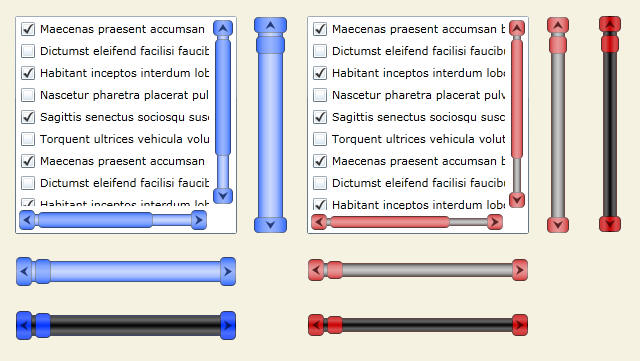
Welcome to my fifth Beginners tutorial for Expression Blend & Silverlight. And this time we will be focusing on ScrollBars, which are a core component of a complicated & nested Control like a ListBox.
img72.jpg

Read more: Codeproject

20 New jQuery Techniques – October

We don’t do jQuery roundups every month because we prefer to wait a longer period to get a better selection, more to choose from – anyway, this is October months roundup for jQuery techniques. This listing represents new techniques from late August until now.
Cashrevelations.com presents a selection of new and fresh jQuery techniques – 20 new jQuery techniques released or updated during the period of August 20 until October 25 this year (2010). All these jQuery techniques are presented with demo.
20 Fresh & New jQuery Techniques – October 2010
1. Custom Animation Banner with jQuery
In this tutorial you will learn how to create a custom animation banner with jQuery by using the jQuery Easing Plugin and the jQuery 2D Transform Plugin. The idea is to have different elements in a banner that will animate step-wise in a custom way.
2. Quick Feedback Form – jQuery & PHP
In this tutorial by Martin Angelov you will learn how to create a solution for receiving quick feedback from your users – powered by jQuery, PHP and the PHPMailer class, this stylish form sends the users suggestions directly to your mailbox.
3. Wijmo – jQuery UI Widgets
Wijmo is a set of jQuery UI widgets for building web applications – a complete kit of over 30 jQuery UI Widgets. According to the developers, it is a mixture of jQuery, CSS3, SVG, and HTML5. Still in Beta – open to everyone who wants to participate.
Read more: CashRevelations

Microsoft retires Visual Studio Installer projects, replaces with InstallShield

This isn’t breaking or current, but it’s pretty startling to hear the word InstallShield on its own; to hear it will be combined with Visual Studio is just down right scary. Our future is now going to be filled with skinned installers and “Preparing to install” dialogs, even more so than now.
Anyway, I originally received this tip via a newsletter from Flextera Software, the current folks handling the InstallShield product. The only official communication from Microsoft I could find on the matter is in the announcement header of the “ClickOnce and Setup & Deployment Projects” MSDN forum, back in July. Very classy.
In Visual Studio 2010, we have partnered with Flexera, makers of InstallShield, to create InstallShield Limited Edition 2010 just for Visual Studio 2010 customers. The InstallShield Limited Edition 2010 offers comparable functionality to the Visual Studio Installer projects. In addition, you can build your deployment projects using Team Foundation Server and MSBuild. For more information, see http://blogs.msdn.com/b/deployment_technologies/archive/2010/04/20/installshield-limited-edition-is-available-for-download-in-visual-studio-2010.aspx.
With InstallShield available, the Visual Studio Installer project types will not be available in future versions of Visual Studio.
Read more: Within Windows

Защита Win32 и .NET приложений: обзор протектора Themida (X-Protector)

Этот обзор посвящен Themida (в прошлом X-Protector), одному из самых мощных и надежных протекторов Win32 приложений. Поскольку Themida совсем недавно понадобилась мне для одного из моих приложений, я решил написать по ней небольшой обзор. Заодно попросил автора ответить на некоторые интересующие меня вопросы. Думаю, ответы будут вам тоже интересны. Результаты этого небольшого интервью ищите в конце статьи.
Хочу обратить внимание, что статья написана на базе Themida версии 2.1.3.30, последней на дату написания данного обзора. В ней появилось несколько новых возможностей по части макросов. Демка двухлетней давности с на официального сайта, их лишена.
Read more: Habrahabr.ru

Silverlight Developer Guidance Map

If you’re a Silverlight developer or you want to learn Silverlight, this map is for you.   Microsoft has an extensive collection of developer guidance available in the form of Code Samples, How Tos, Videos, and Training.  The challenge is -- how do you find all of the various content collections? … and part of that challenge is knowing *exactly* where to look.  This is where the map comes in.  It helps you find your way around the online jungle and gives you short-cuts to the treasure troves of available content.
The Silverlight Developer Guidance Map helps you kill a few birds with one stone:

  1. It show you the key sources of Silverlight content and where to look (“teach you how to fish”)
  2. It gives you an index of the main content collections (Code Samples, How Tos, Videos, and Training)
  3. You can also use the map as a model for creating your own map of developer guidance.

Download the Silverlight Developer Guidance Map

Contents at a Glance
  • Introduction
  • Sources of Silverlight Developer Guidance
  • Topics and Features Map (a “Lens” for Finding Silverlight Content)
  • Summary Table of Topics
  • How The Map is Organized (Organizing the “Content Collections”)
  • Getting Started
  • Architecture and Design
  • Code Samples
  • How Tos
  • Videos
  • Training

Read more: J.D. Meier's Blog

KitKat - The Lazy/Poor Man's Rootkit

Introduction
This article is about using global hooks and window subclassing to create a pseudo-rootkit capable of hiding files from Explorer, Task Manager, Registry Editor, etc.
Background
It is assumed that the reader knows basic C++, Windows Programming, Global Hooks (for DLL injection) and of course, knows what a RootKit is.
Disclaimer
Although The program has been well tested, I have to include this disclaimer: The following program attempts to modify your operating system, which may/can make your system unstable. By executing/compiling the program you agree that neither the author nor the site hosting this article shall be held responsible for any damages occured due to this program. This program comes with NO WARRANTY. USE AT YOUR OWN RISK!! If this scares you, you probably shouldn't run this program. The author hereby disclaims himself. This article may not be re-published elsewhere without the permission of the author.
Using the code
Compile the VC++ Project to obtain a DLL. You could write your own loader, but i have enclosed a small DLL Tester written in VB just in case. Once loaded, the DLL will establish a CallWnd hook.
Theory
Before I start a flame war or get found out by the Gurus out there, I'd like to state Kitkat is not a "System Roothit". It's more of a "User Rootkit" not to be confused with "UserMode Rootkits (Ring 3)"...
There are 2 basic kinds of Rootkits:
Kernel Mode Rootkits (Run in Ring0 and filters requests at the highest level)
UserMode Rootkits (Run in UserMode, uses API redirection, IAT hooking to get the job done)
The most powerful rootkits are no doubt the kernel rootkits. Usermode rootkits are less desirable because it is well known[^] that not all API calls can be hooked using IAT patching. (Link to Article)
So which of these does KitKat belong to? Actually, its None of the above. Most rootkits have the following model
       OS --->  RootKit Filter ---> User
Every file that is being stealthed is hidden from the system itself, which means even if one programmatically tries to locate a file, you'll not be able to find it since the filter intercepts any such requests. As a result it effectively stealths the files/processes from BOTH the SYSTEM and THE USER. If an AntiVirus (AV) program requests a file that was being stealthed, the AV would get an "INVALID_FILE_HANDLE" response. In contrast, Kitkat is based on the following model:
       Windows GUI ----> Kitkat RootKit Filter  ----> User
Read more: Codeproject

HTTPS Messaging with Client Side Certificate fails with IIS error 403

Symptoms
We have a Win2k3/Win2k8 Server. We are trying to send HTTPS messages to this Win2k3 Server. The Server Requires Client Side Certificates. The IIS log shows error 403.7 - Client Side Certs Reqd. Also if you enable deadlettering on the messages the messages end up in deadletter queue with HTTP error 403.
Cause
If a Win2k8 Server has this problem then the problem is that the Network Service Account under which MSMQ runs does not access to the Private Key in MSMQ Certificate Store. Here is the error logged in the System log on Win2k8 Server.
Log Name:      System
Source:        Schannel
Date:          8/18/2010 3:15:10 PM
Event ID:      36870
Task Category: None
Level:         Error
Keywords:      Classic
User:          N/A
Computer:      ComputerName
Description:
A fatal error occurred when attempting to access the SSL client credential private key. The error code returned from the cryptographic module is 0x8009030d.
Event Xml:
<Event xmlns="http://schemas.microsoft.com/win/2004/08/events/event">
 <System>
   <Provider Name="Schannel" />
   <EventID Qualifiers="49152">36870</EventID>
   <Level>2</Level>
   <Task>0</Task>
   <Keywords>0x80000000000000</Keywords>
   <TimeCreated SystemTime="2010-08-18T19:15:10.000Z" />
   <EventRecordID>34419</EventRecordID>
   <Channel>System</Channel>
   <Computer>Computer Name</Computer>
   <Security />
 </System>
 <EventData>
   <Data>client</Data>
   <Data>8009030d</Data>
 </EventData>
</Event>
Resolution
On Windows 2008 Server you need to execute the command at command prompt. The command below gives network service account access to the Private Keys for the Certificates.
 certutil.exe -service -service -repairstore MSMQ\My "" D:PAI(A;;GAGR;;;BA)(A;;GAGR;;;SY)(A;;GAGR;;;NS) MSMQ\My
Read more: MSMQ Information and Troubleshooting Blog

Windows 7 and Windows Server 2008 R2 Service Pack 1 Release Candidate (KB976932)

Overview
Windows 7 and Windows Server 2008 R2 SP1 Release Candidate helps keep your PCs and servers on the latest support level, provides ongoing improvements to the Windows Operating System (OS), by including previous updates delivered over Windows Update as well as continuing incremental updates to the Windows 7 and Windows Server 2008 R2 platforms based on customer and partner feedback, and is easy for organizations to deploy a single set of updates.
Windows 7 and Windows Server 2008 R2 SP1 Release Candidate will help you:
Keep your PCs supported and up-to-date
Get ongoing updates to the Windows 7 platform
Easily deploy cumulative updates at a single time
Meet your users' demands for greater business mobility
Provide a comprehensive set of virtualization innovations
Provide an easier Service Pack deployment model for better IT efficiency

In order to download and install the Windows 7 and Windows Server 2008 R2 SP1 Release Candidate you must currently have a Release to Manufacturing (RTM) version of Windows 7 or Windows Server 2008 R2 already installed.
If you have previously installed the Windows 7 and Windows Server 2008 R2 SP1 Beta on your machine, you must uninstall the beta before installing the Release Candidate.
Windows 7 and Windows Server 2008 R2 SP1 Release Candidate is available for installation in the same languages made available at original launch of Windows 7 and Windows Server 2008 R2.
Read more: MS Download

Overview
The following documentation for Windows 7 and Windows Server 2008 R2 Service Pack 1 Release Candidate is provided here:
Hotfixes and Security Updates included in Windows 7 and Windows Server 2008 R2 Service Pack 1 Release Candidate
Windows 7 and Windows Server 2008 R2 Service Pack 1 Release Candidate Notable Changes
Windows 7 and Windows Server 2008 R2 Service Pack 1 Release Candidate Test Guidance

For additional information (including how to deploy the service pack and how to join the public beta), please see http://technet.microsoft.com/evalcenter/ff183870.aspx.
Support URLs:
http://technet.microsoft.com/evalcenter/ff183870.aspx
Read more: MS Download

WP7 Development Tips Part 1

Performance is the area that we probably spend the most time on in all our apps.  Building apps on the phone is just way different than building desktop apps.   Things that might be really minor optimizations on a desktop Silverlight can really make a difference on desktop Silverlight apps.
Developing on the phone is an issue of economics where processing power is a scarce resource.  You have to be conscious of the tradeoffs of using things like binding, layout controls, dependency injection, etc with their impact on performance.  When I first started building phone apps I was excited to use nRoute and it’s nice features around MVVM/Resource Location/Messaging/Navigation.  I wanted to have this really perfect loosely coupled architecture that used biding for everything/minimal code behind, had great designer support and dynamically resolved the proper services and models. In practice, that is not generally high performance code on the phone.  If you are using some extra frameworks, really be conscious of the impact on performance and decide if you really need that architecture.  What might work wonderfully on a more complicated desktop line of business app might not work as well on the phone.  You just have to expect to write more optimization in a mobile app regardless if it’s the iphone, wp7 or android.
Silverlight was billed as “same Silverlight, just on the phone”. That is mostly true in terms of the api, but not necessarily true in terms of the actual runtime. It’s really a brand new runtime based on Silverlight 3 with some extra features added, so certain pieces of code might not have the same performance characteristics.
I’ve seen a lot of articles from various other people that talk about “buttery smooth scrolling” and other performance tips.  At times the tips are a little too generalized.  When you try to optimize something for performance on the phone, you really need to take into account your specific circumstances and find the right combination that works for your app.  Always test and benchmark.  Some things are more difficult to measure without real profiling tools, but do the best you can.  Also be aware that scrolling in 3rd party apps on the phone is just not great at the moment.  The native OS apps use a different UI framework that is going to make all but the simplest 3rd party apps feel sluggish so don’t feel too bad if your app scrolling seems slower.   It’s probably not entirely your fault.  Although this guy (around 8:50) seems to disagree. Sure 3rd party apps will get better with more experience and time, but the runtime needs to also get better.  It’s the v1 of a new platform for everyone.
Finally, most of my thought are based around apps like twitter or facebook or other apps that require lots of live network data and have more complicated/longer list based screens.  A 2 screen unit converter app is just going to be faster because it’s a simpler app and you don’t really need to optimize much.
So here are some things that you can try think about for your application:
  • Data binding is always going to be slower than just directly setting a value.  If you don’t have to databind, try to avoid it. I see lots of people going out of their way to MVVM everything and create bindable app bars.  Feel free to just wire up a handler once in awhile or just directly set some text.  There are other ways of centralizing code for reuse instead of trying to adhere to a strict pattern.  If you are trying to animate in a screen and data bind simultaneously, most of the animations will get chopped.  Just directly set enough pieces of data to have something to animate in and then you can do more intensive data binding after the animation is complete.
  • As mentioned above – consider the tradeoff of always following the same pattern just for the sake of maintaining the pattern.  Sure it might be easier to maintain, but high performance code doesn’t always look pretty. Be flexible, take shortcuts and do what makes sense for a specific part of the application.  That’s not to say you should ever write bad code, just don’t focus on creating an architectural masterpiece in lieu of something that is performs well.  The end user only sees what you put on screen, not the code behind it.  They don’t really care that you used MEF and have an awesome messaging framework. When i see people over-engineer what should be a simple app just to adhere to some theoretical best practices I get sad.

Read more: Clarity Consulting

A Step-by-Step Guide to Building and Deploying your Windows Phone 7 Applications

As of the publication date of this article, Windows Phone 7 devices are becoming available in Europe and will hit North America on November 8th 2010 and Microsoft is gradually opening up the application submission process to registered developers.  Microsoft expects as many as 1,000 applications available at launch.  Will one of those applications be yours?
This article takes you through the process of getting the tools, registering as a developer, building a basic Silverlight application for Windows Phone 7 (©Copyright Colin Melia 2010), and submitting it to the marketplace.
Getting Started - Application Platform
The available developer tools allow you to build Silverlight and XNA software for Windows Phone 7.  For an introduction to the platform see my previous article.  In this article, I’ll be showing you how to build a Silverlight application.
The Hub for Applications
Just before device launch Microsoft transformed the Windows Phone 7 developer portal and combined it with the Xbox Creator’s Club, with everything now available in one place called the App Hub.
WP7_1.png

Read more: Mobile DevZone

An introduction to Tuple

Introduction
C#4.0 has introduce a new feature call Tuple.
Definition
   In mathematics and computer science, a tuple is an ordered list of elements. In set theory, an (ordered) n-tuple is a sequence (or ordered list) of n elements, where n is a positive integer. There is also one 0-tuple, an empty sequence. (From Wikipedia)
Purpose: Some time we need to return more than one value from a method or function.
Using the code
Let us perform a simple experiment for the basic arithmetic operations for the concept to understand. Let us first write our Calculate Function
///
/// Calculate
private void Calculate(out int add, out int sub,out int mul,out int div)
{
  int num1 = 5;
  int num2 = 4;
  add = num1 + num2;
  sub = num1 - num2;
  mul = num1 * num2;
  div = num1 / num2;
}
Older approach (Till dotnet 3.5)
Approach 1: Using OUT parameter
Read more: Codeproject

10 Tips you should know about “Watch Window” While debugging in Visual Studio

Watch windows is one of most commonly used debugging tool with Visual Studio. We generally used to explore the objects, values, properties and other nested objects as a tree structure. Most of the time we used watch window to only view the values or change the current object properties values to see the effects of changed object during debugging. But we can use watch windows for many different  purposes. In this blog post I am going to show 10 Tips, that may help you while dealing with Watch Window.
Tips 1 : Calling Methods From Watch Window
As I said earlier, most of time we used watch window to explore the objects and it’s properties but  we can call a methods from watch window as well. If you are exploring some objects inside watch window, you can simple call any of the methods for that object inside watch window.
Tips 2 : Drag-Drop & Copy-Paste Code inside Watch Window
Tips 3: Use Runtime Object’s With Help of Immediate  Window
Tips 4 : Using Multiple Watch Window
Tips 5 : Moving Values between multiple Watch Window
Tips 6 : Create Object ID
Read more: Abhijit's World of .NET

Visual Studio - Always Run as Administrator

By elevating permissions for Visual Studio, you can perform all tasks related to features such as building and debugging applications, which 'might not' work correctly under standard user permissions. To elevate permissions, go to the Start Menu and right click Visual Studio > click 'Run as Administrator'. However if you are the only user on the machine and frequently need to do this, it could be annoying, plus there are chances you could forget running VS with elevated permissions.
Here's how to always run Visual Studio as Administrator in Windows Vista/ Windows 7.
Go to Start > All Programs > Expand Visual Studio folder > Right click Visual Studio.exe > Properties
image_thumb%5B8%5D.png?imgmax=800

Read more: devcurry

The Future of Silverlight

There are a lot of questions being asked about where Silveright is going, and what is it for. Microsoft has been giving pretty straight answers on the future of Silverlight but there has been a lack of quality reporting on those answers. For example, when Steve Ballmer was recently asked about HTML 5 and Silverlight his answer was that Silverlight started off as a cross-browser, cross-technology [for making websites] but that it has been repurposed as a [cross-browser, cross-technology] platform for creating client applications. This was transformed by Network World into Ballmer saying that he "sees Silverlight as useful for adding multimedia to client apps" and they also put a description on the article saying that Ballmer was commenting on the "near death of Silverlight." It is no wonder that people are confused, perfectly good and straighforward answers are being transformed into meaningless FUD by the media.
With Ballmer's actual response (which you can see at the link above), the Gu's recent video with John Papa, and the Silverlight's teams on Future of Silverlight blog post, I think the answers from Microsoft have been very clear on where Silverlight is going. However, I know there is still some confusion and people want a simple answer. So, I am going to try and condense this down to a simple graphic:
image.axd?picture=2010%2f10%2fFuturePlatforms.png

More Secure Browsing Over Wi-Fi

In recent days, a new tool called Firesheep has become available that can “sniff out” the login information that’s being sent over wireless networks. Such tools have always been available, but this one makes it easy for anyone to collect other people’s private data.
I’m sure that you, as a web professional, know that it’s important to use a VPN or to encrypt your connection by using https:// whenever you can. But this might be a good time to remind colleagues and friends. And there are several ways of forcing secure connections.
With Firefox, you can use:
  • HTTPS-Anywhere, an add-on that comes pre-configured with rules for over two dozen popular sites, including Facebook and Twitter. You can add your own rules, but you’ll need to edit an XML file.
  • Force-TLS, an add-on that has a much simpler way of adding sites to connect with securely, but it doesn’t come with any pre-configured sites.
As far as I can tell, these two add-ons coexist gracefully, so you may want to have your less web-savvy colleagues install both.
Read more: GIGAOM

How To Protect Your Login Information From Firesheep

how-to-configure.jpg

TechCrunch reader Steve Manuel claims to have found a workaround to Firesheep, the controversial Firefox extension that allows anyone on an insecure open Wifi network to access user login info for almost every single social network in existence.
Firesheep banks on the fact that most social sites default to the HTTP protocol because it’s quicker. The already existing Firefox extension Force-TLS attempts to circumvent this by forcing those sites to use the HTTPS protocol, therefore making user cookies invisible to Firesheep.
Like the alternative option HTTPS Everywhere, the Force-TLS  Firefox extension allows your browser to change HTTP to HTTPS on sites that you indicate in the Firefox Add On “Preferences” menu, protecting your login information and ensuring a secure connection when you access social sites.
HTTPS encrypts user data, so if a script like Firesheep’s like tries to pull it, it can’t be read. Force-TLS forces a number of sites to make all of their requests over an SSL secured channel and while some sites, like Amazon, don’t currently have the secure option, the majors like Facebook, Twitter, Google, etc all allow a HTTPS connection.
How to configure:
1. Download the plugin here and install into Firefox.
Read more: Techcrunch

Firesheep

two.png
When logging into a website you usually start by submitting your username and password. The server then checks to see if an account matching this information exists and if so, replies back to you with a "cookie" which is used by your browser for all subsequent requests.
It's extremely common for websites to protect your password by encrypting the initial login, but surprisingly uncommon for websites to encrypt everything else. This leaves the cookie (and the user) vulnerable. HTTP session hijacking (sometimes called "sidejacking") is when an attacker gets a hold of a user's cookie, allowing them to do anything the user can do on a particular website. On an open wireless network, cookies are basically shouted through the air, making these attacks extremely easy.
This is a widely known problem that has been talked about to death, yet very popular websites continue to fail at protecting their users. The only effective fix for this problem is full end-to-end encryption, known on the web as HTTPS or SSL. Facebook is constantly rolling out new "privacy" features in an endless attempt to quell the screams of unhappy users, but what's the point when someone can just take over an account entirely? Twitter forced all third party developers to use OAuth then immediately released (and promoted) a new version of their insecure website. When it comes to user privacy, SSL is the elephant in the room.
Today at Toorcon 12 I announced the release of Firesheep, a Firefox extension designed to demonstrate just how serious this problem is.
After installing the extension you'll see a new sidebar. Connect to any busy open wifi network and click the big "Start Capturing" button. Then wait.
Read more: { codebutler }